
Upgrade for theme 2.0.
We are happy to inform you that Shopify has recently undergone an upgrade. As part of this upgrade, the direct modification api for themes has been deactivated. Instead, all apps are now required to upgrade to the theme extension. This change has been made to avoid potential issues caused by invasive modifications to the theme. Furthermore, when you uninstall the app, there will be no leftover app code on the theme.
As an existing user, the cart attribute functionality on your website will remain unaffected and continue to work as usual. However, if you wish to modify or add attributes, it is necessary to upgrade first to continue using.
How to check if you need the upgrade?
If you need to upgrade, please follow these steps:
Step1: Remove the codes of old version.
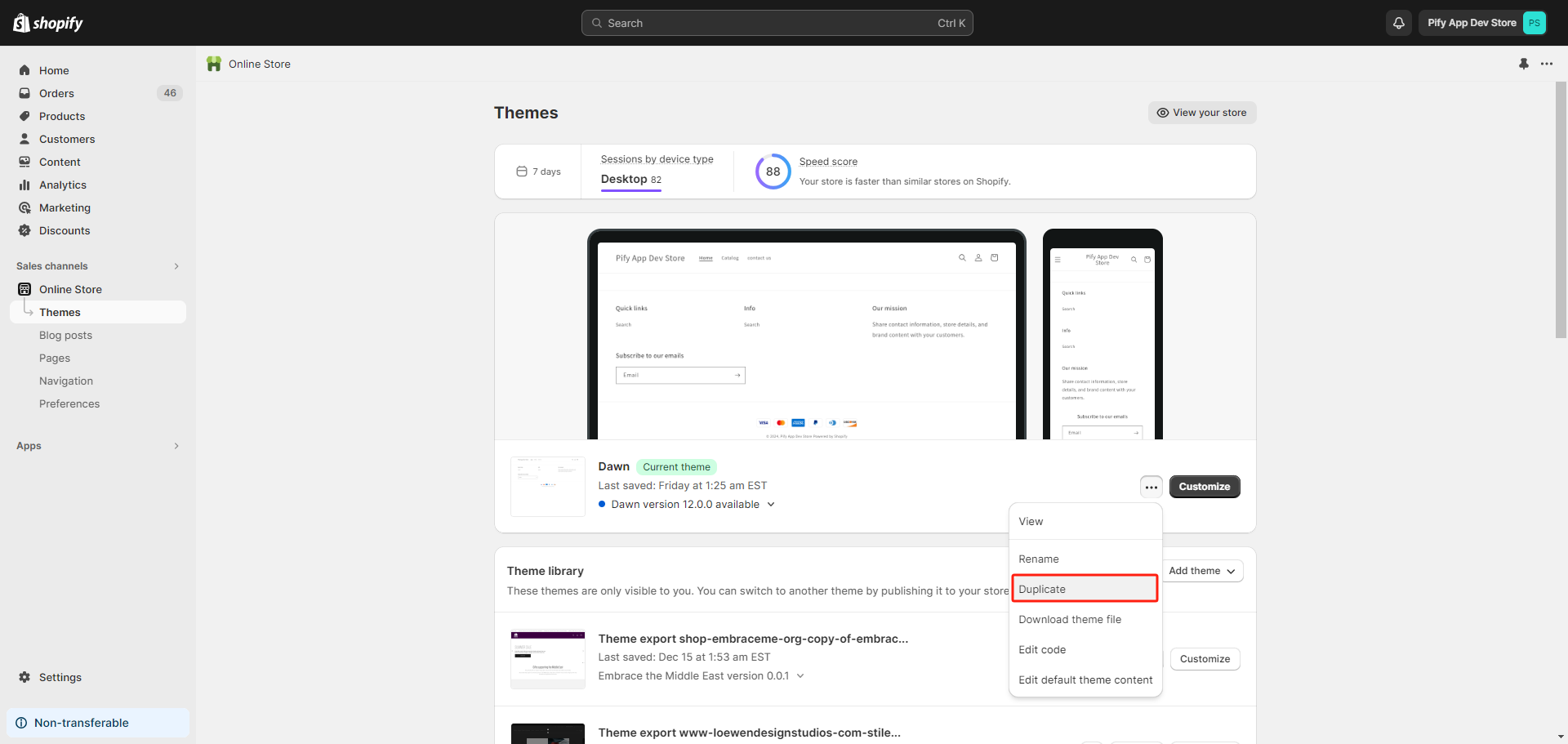
1. Click Duplicate to backup the live theme, which can avoid risks caused by misoperations.
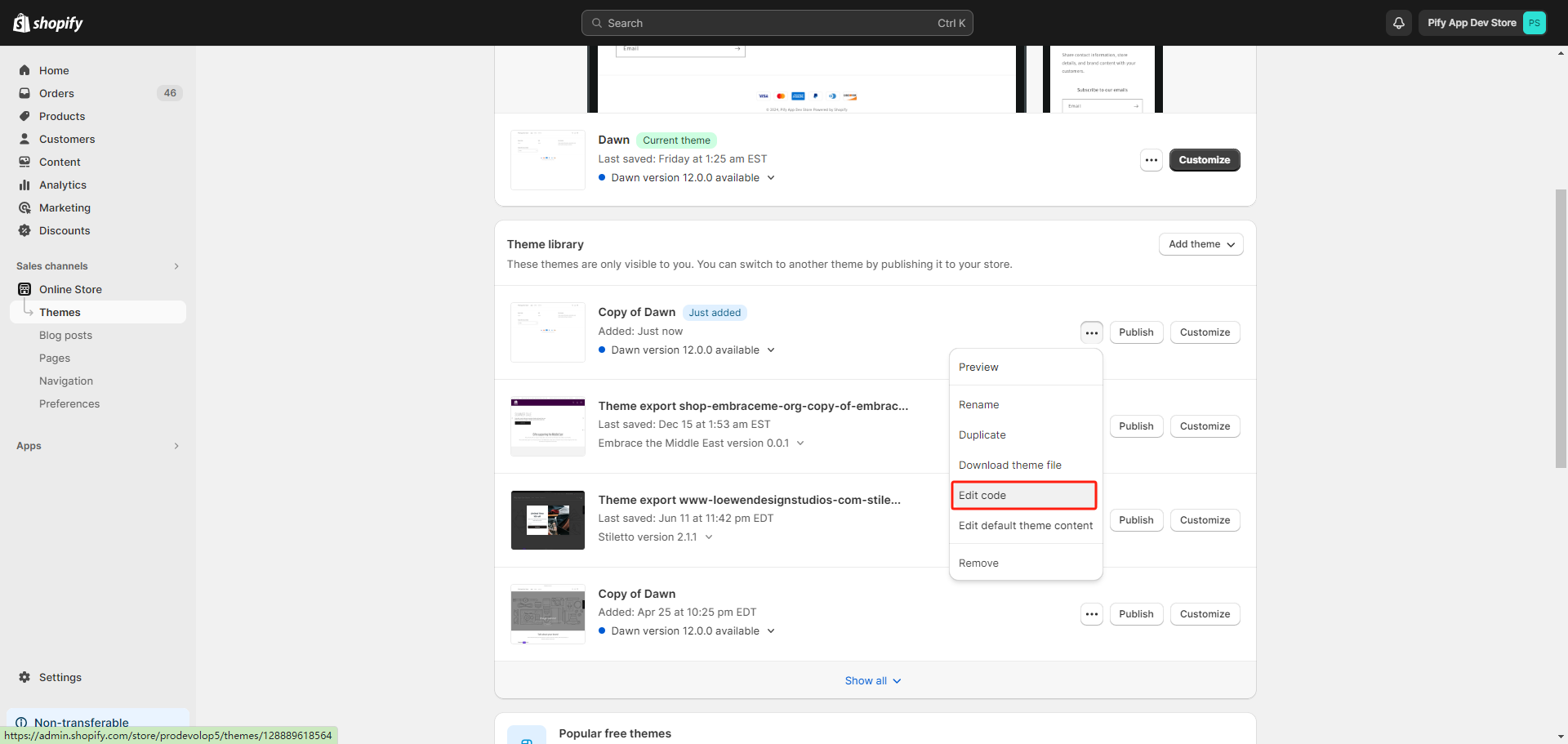
2. Click Edit code in the new theme copied.
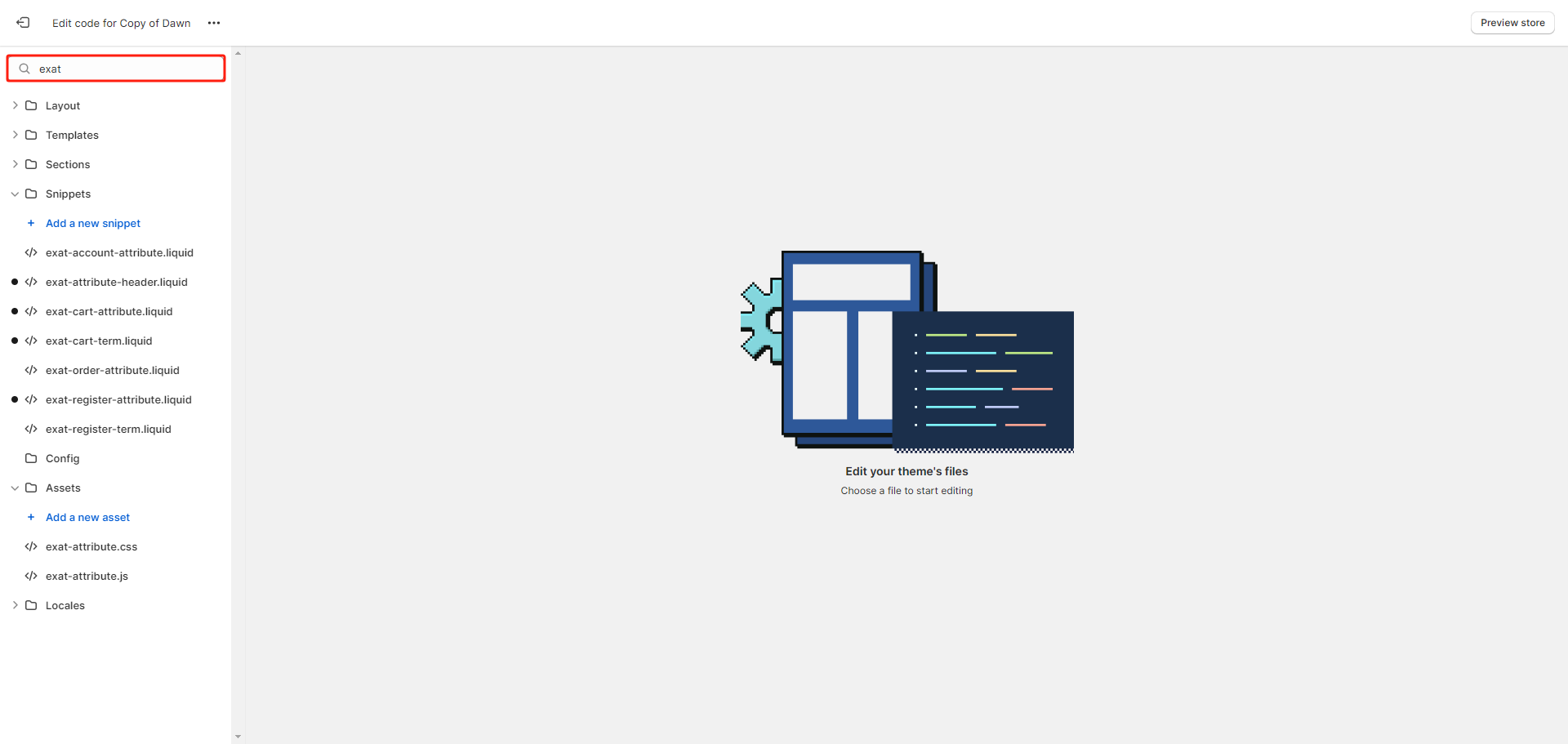
3. Search the keyword 'exat'.
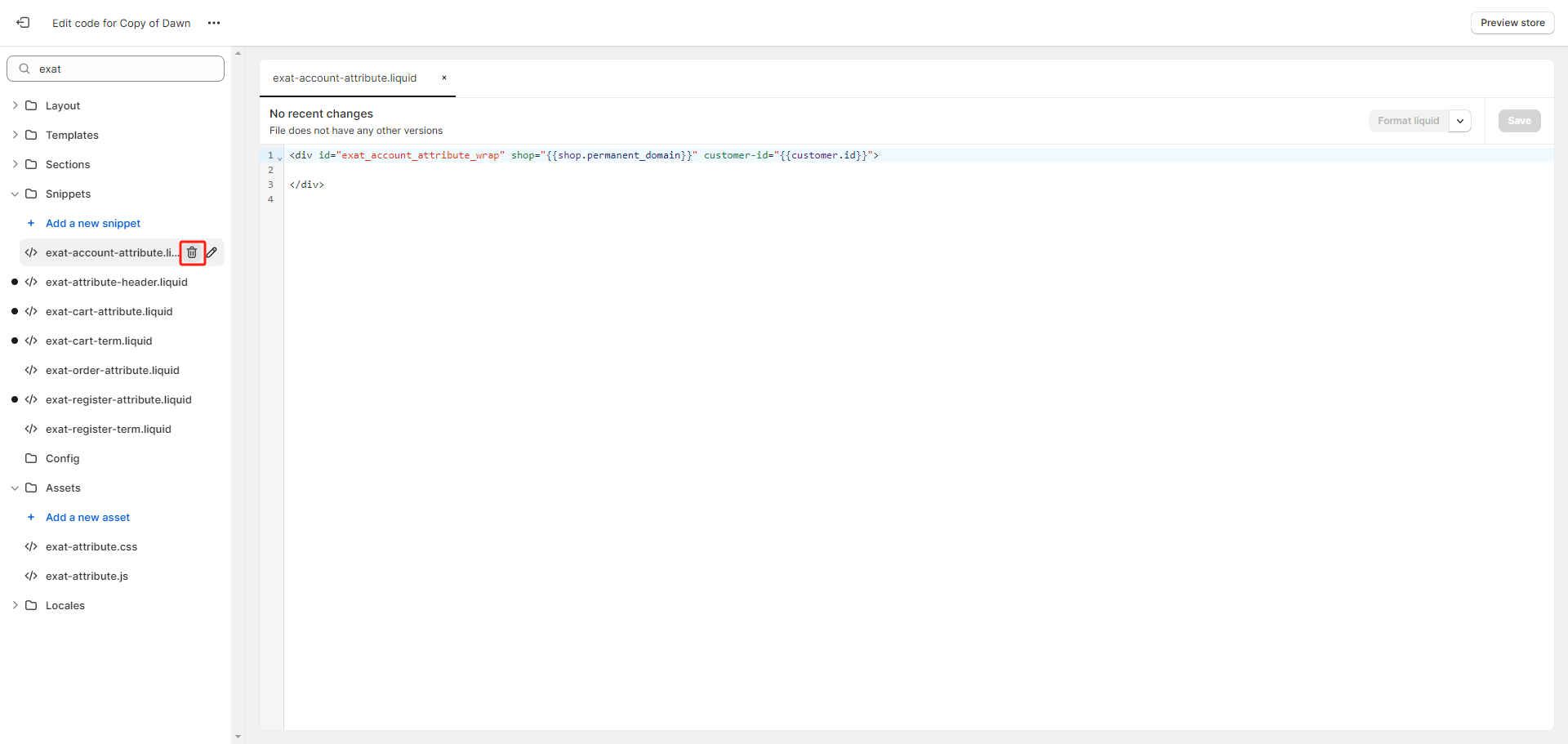
4. Delete all files named with the exat prefix.
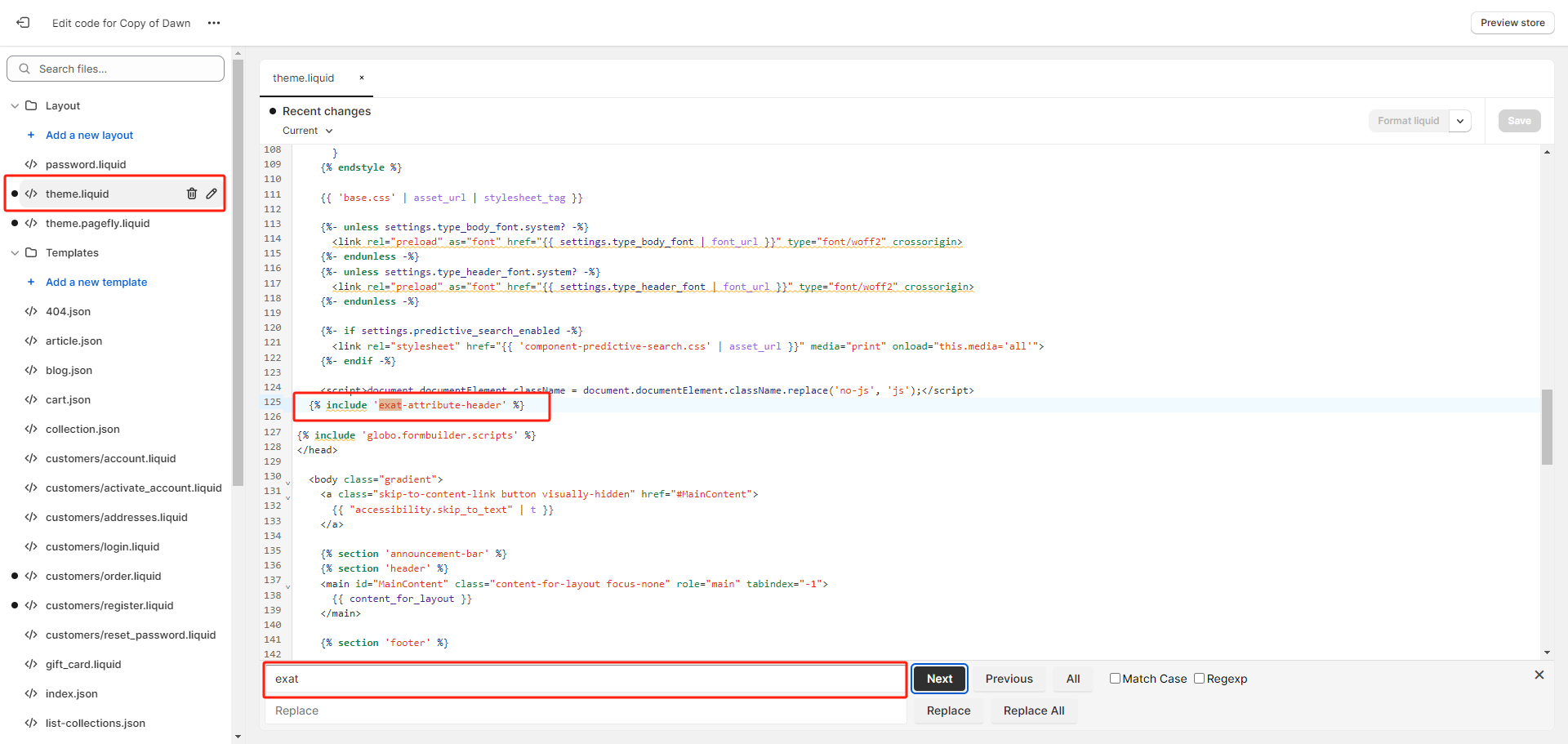
5. Open the theme.liquid. Press Ctrl+F, Search the keyword 'exat', and then remove the snippet {% include 'exat-attribute-header' %}. Click Save.
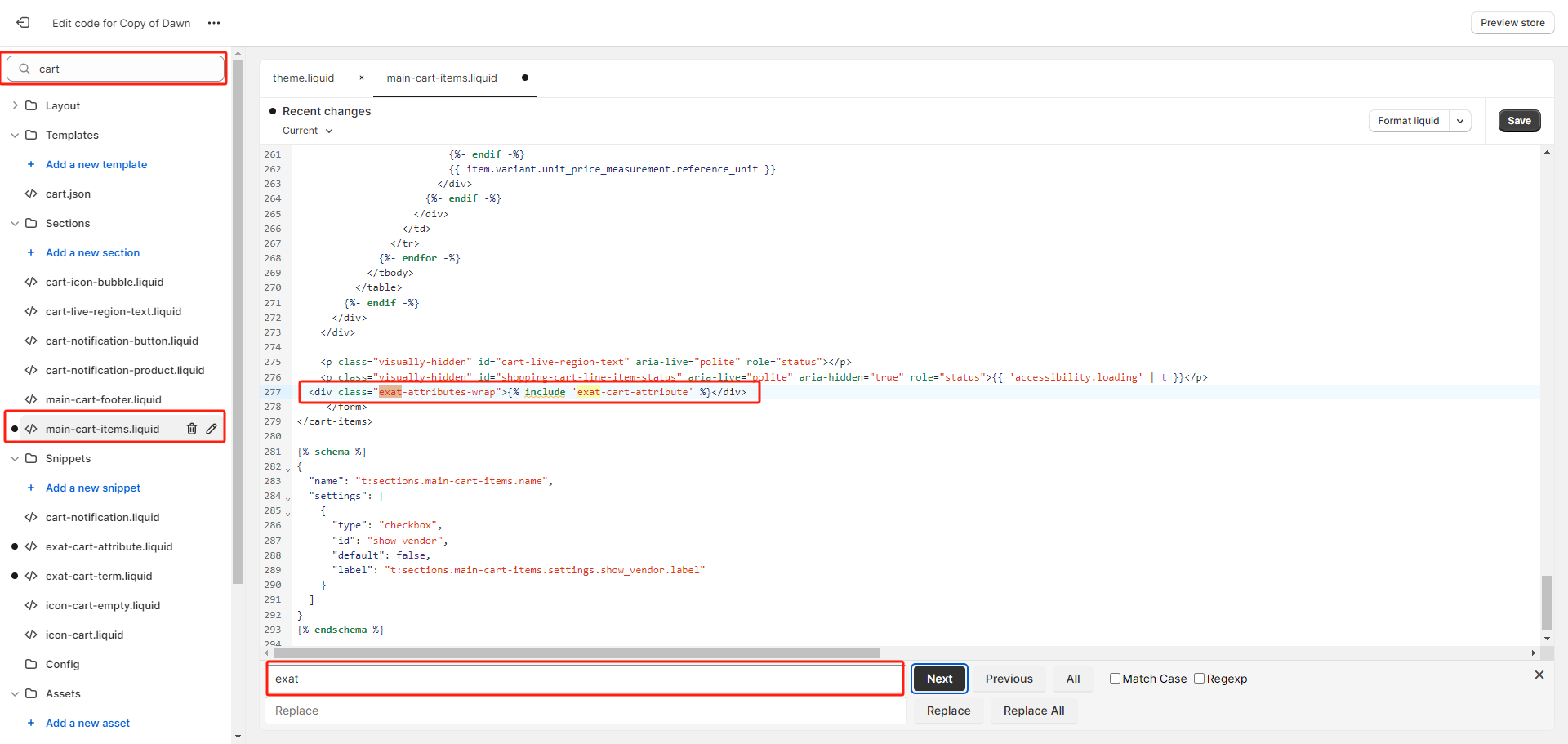
6. Seach keyword 'cart', and then Press Ctrl+F, Search the keyword 'exat' to find all the files maybe contains the code of our app. And then remove the snippet <div class="exat-attributes-wrap">{% include 'exat-cart-attribute' %}</div>, sometimes maybe {% include 'exat-cart-attribute' %} only. Click Save.
Step2: Enable the new theme extension for the cart attribute or customer attribute.
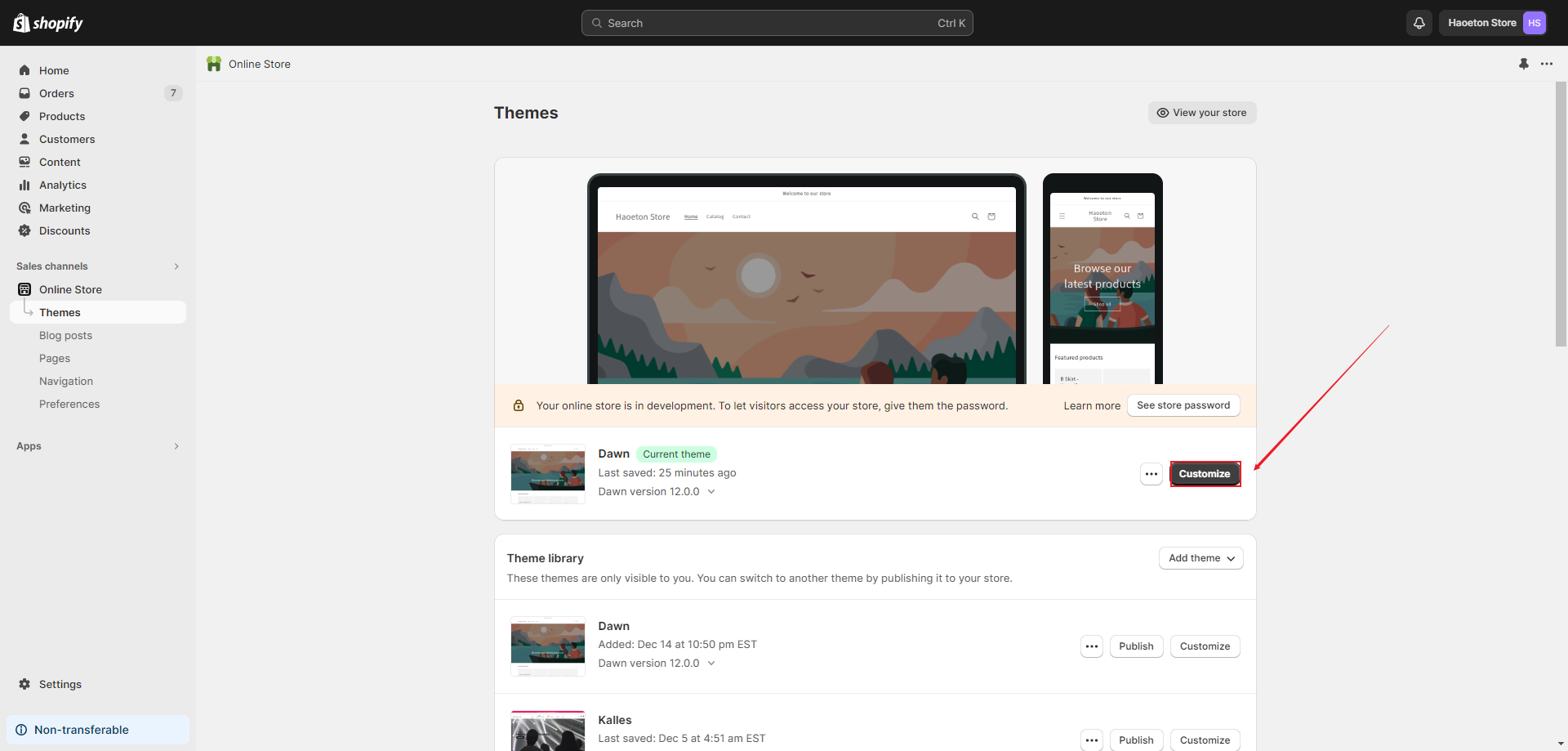
1. Enter your store's customization page.
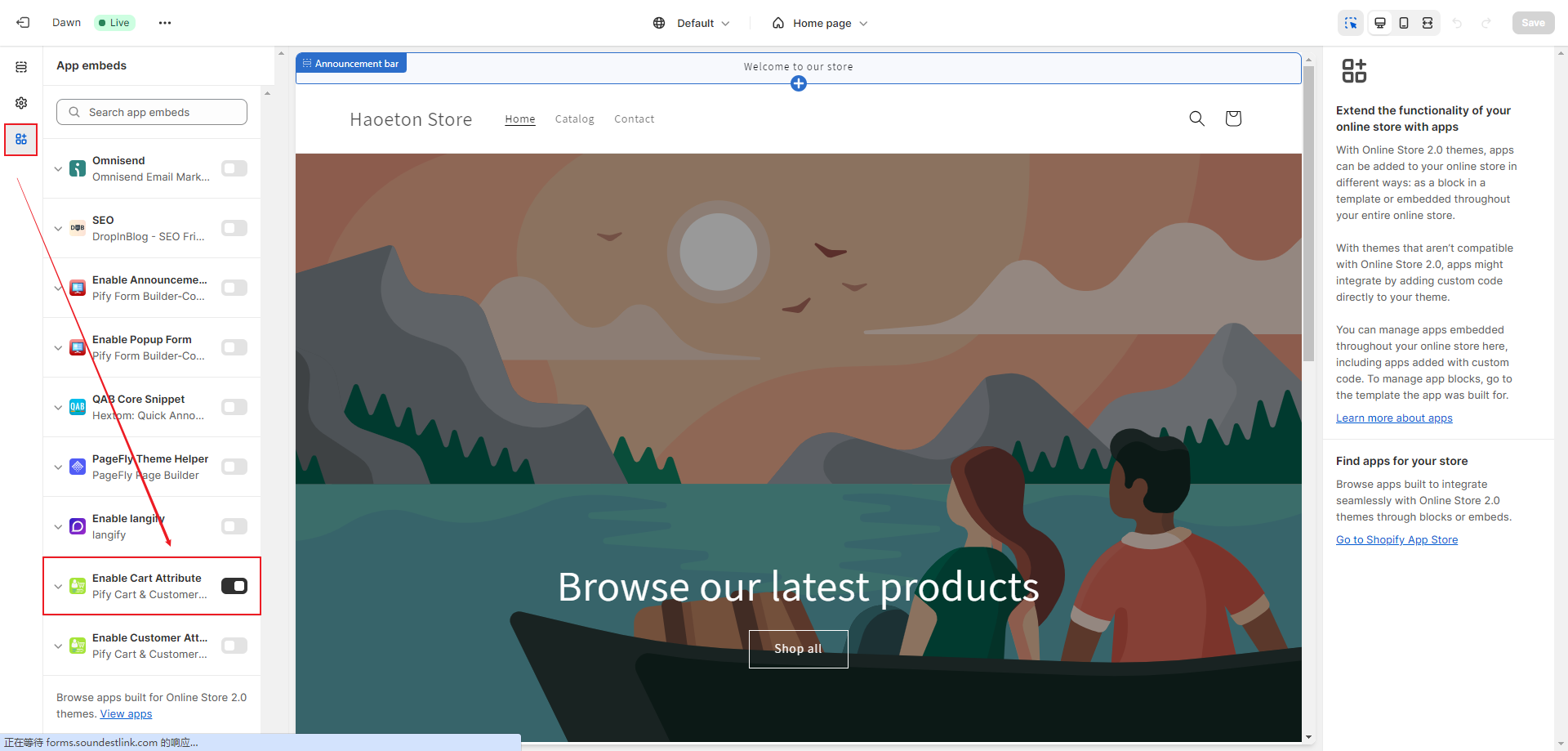
2. Click on App embeds, Enable Cart Attribute, and then Save.
3. Switch the page template to Cart.
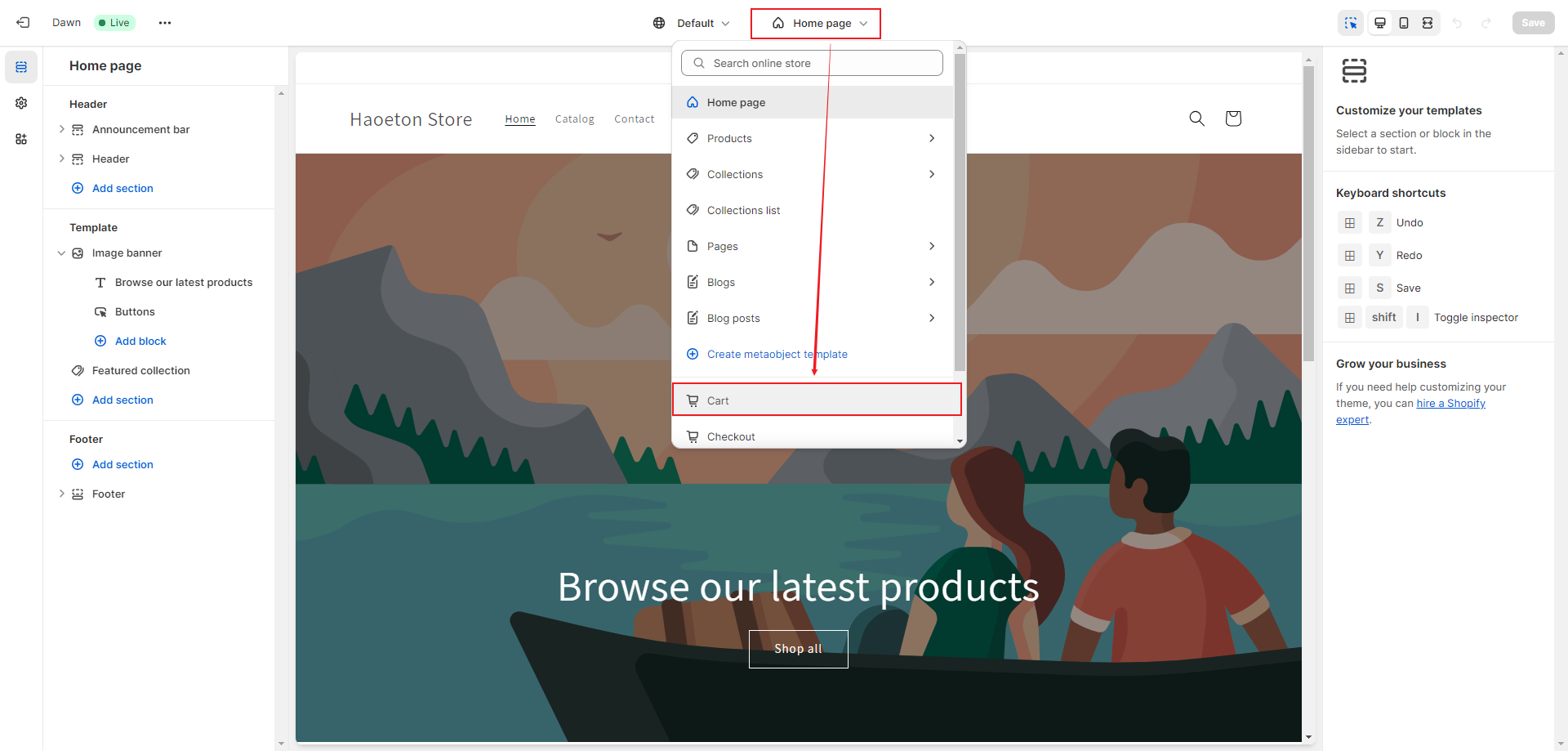
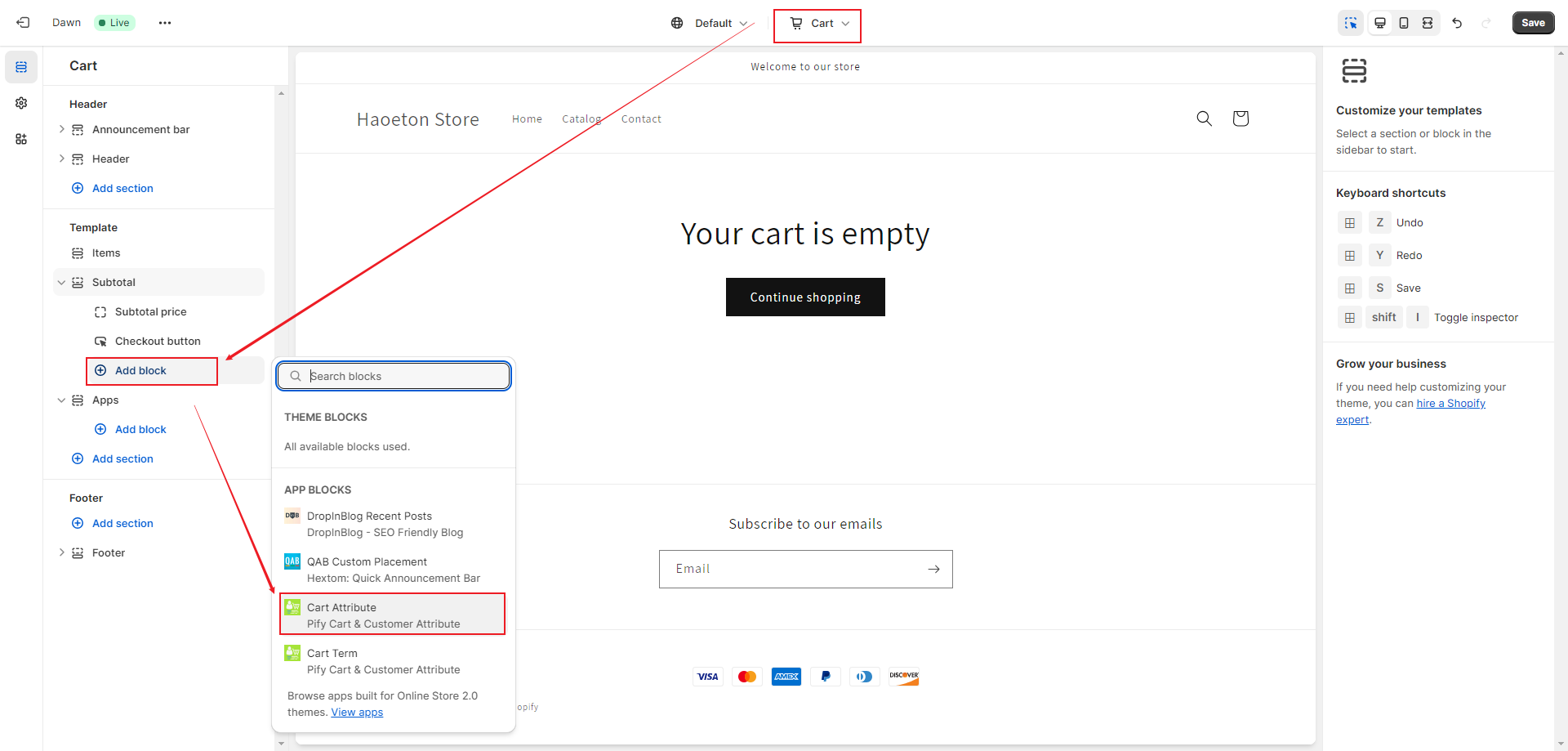
4. Click on "Add block", add "Cart Attribute", and then Save.
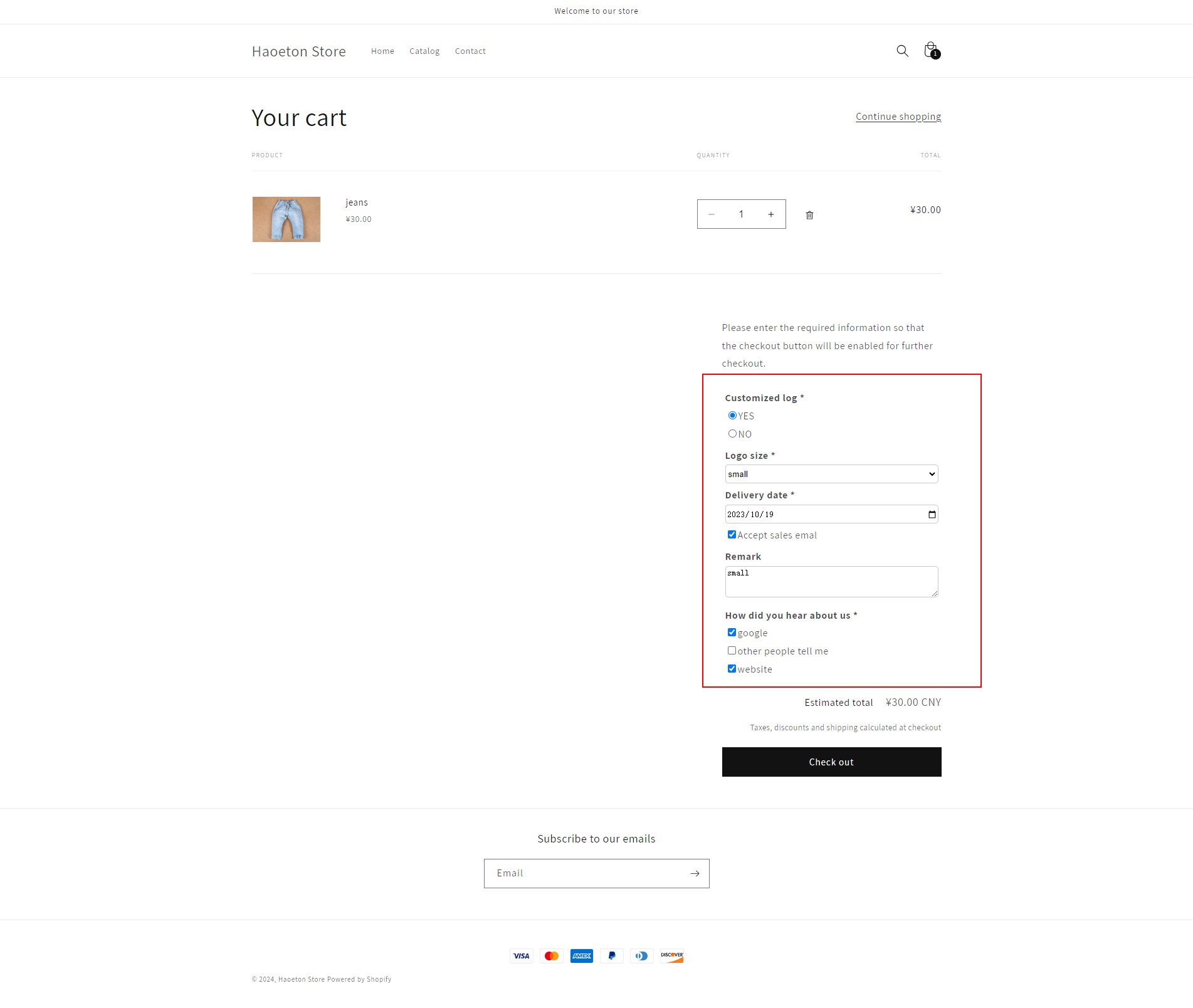
Cart Attribute represents the position of the added shopping cart attribute. If it does not meet the position you need, please contact us
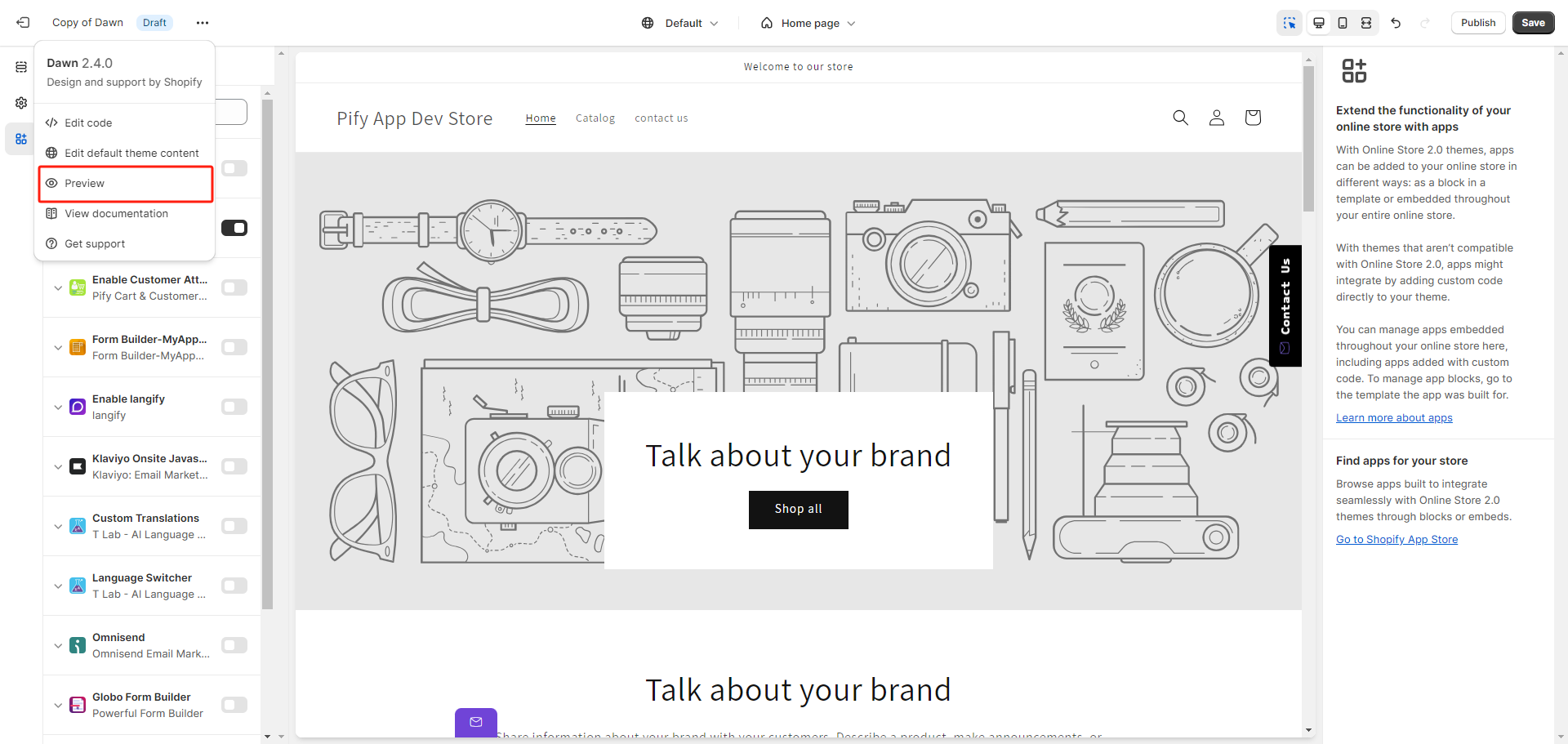
5. Click Preview, add some products to the cart to preview the cart attribute.
If any problem, feel free to contact us for support directly.