
Added Cart attributes but they are not displayed.
If you do not see the cart attributes you added to your shopping cart, you need to follow the steps below for troubleshooting:
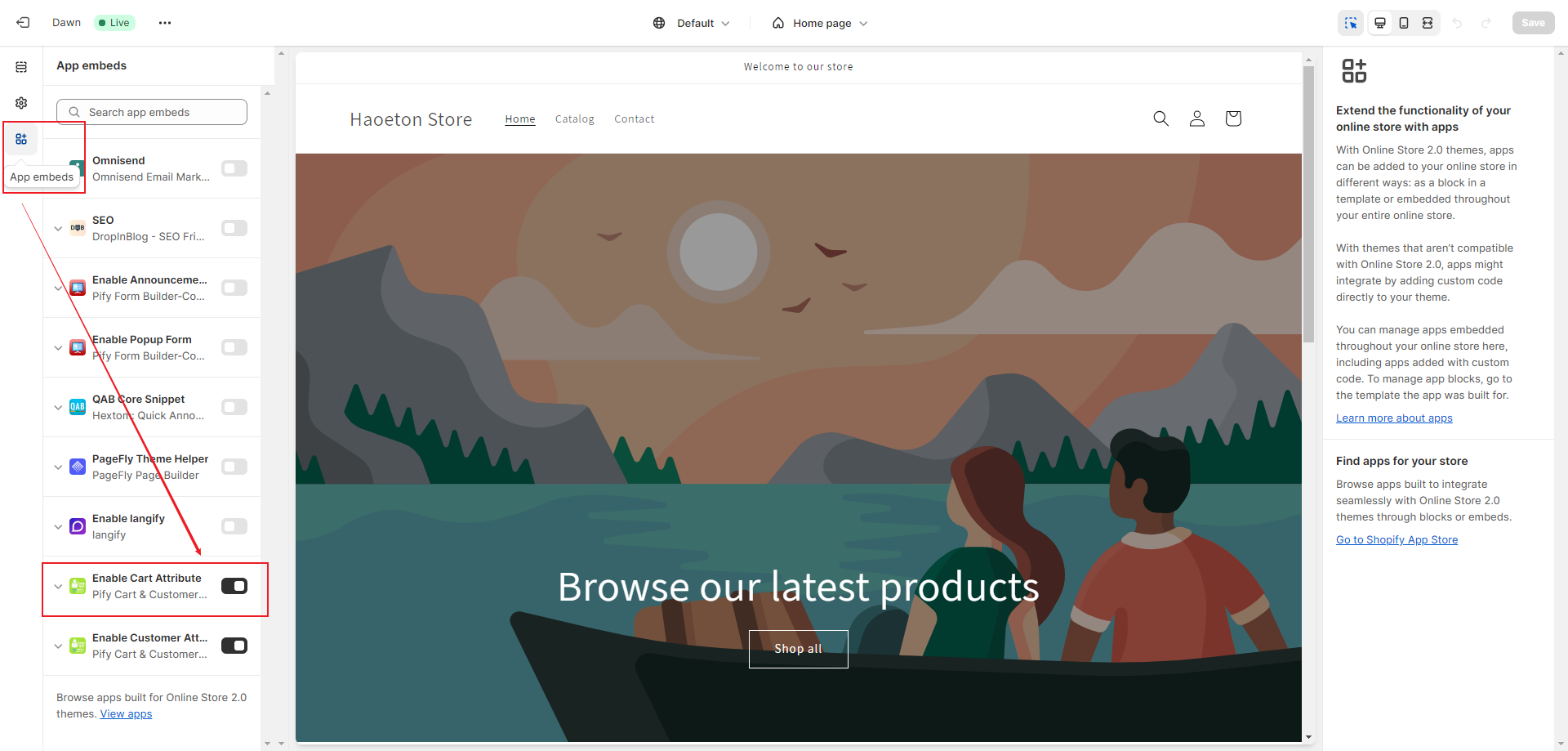
1. You need to go to your shop's customize page and click on "App embeds". Then, open "Enable Cart Attribute". Click "Save".
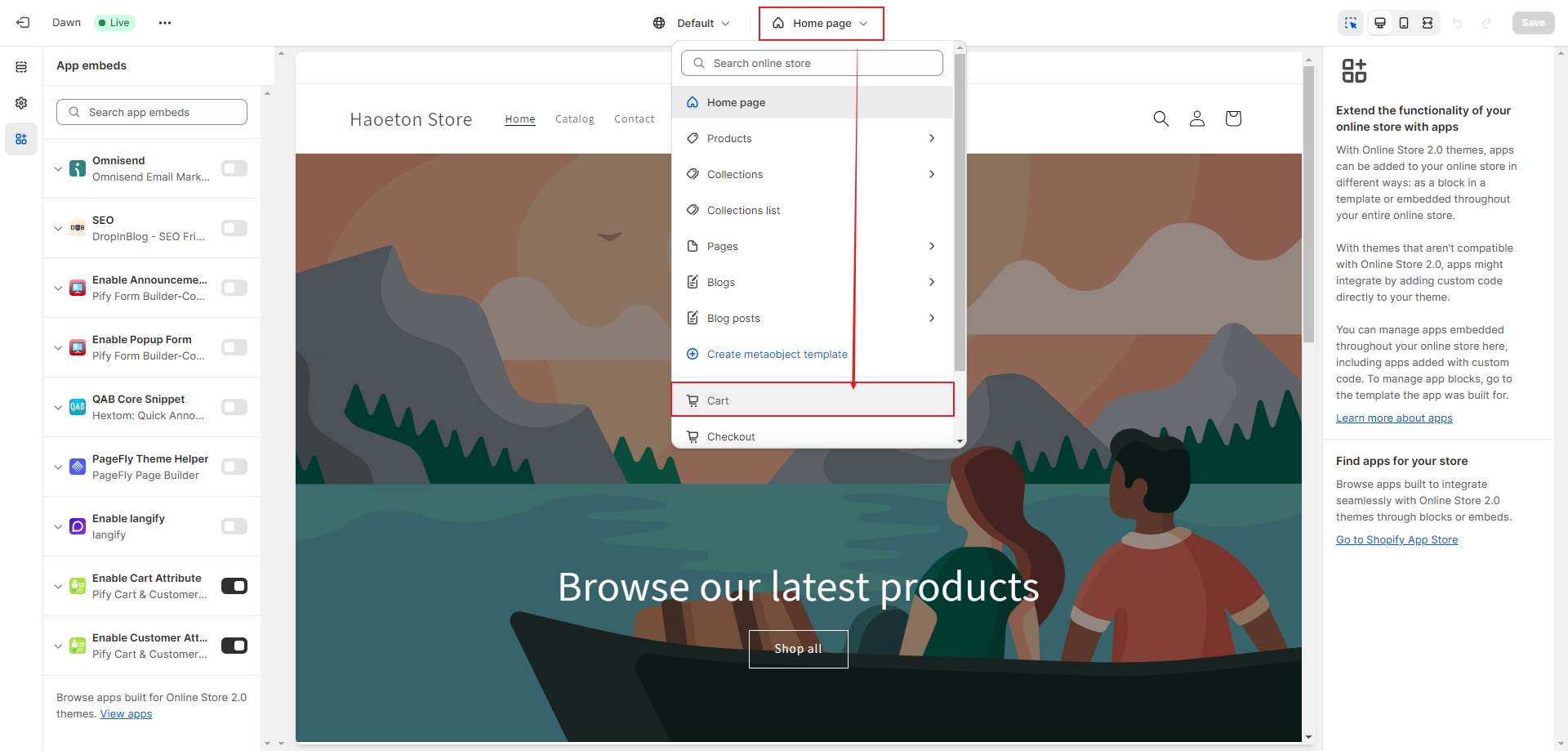
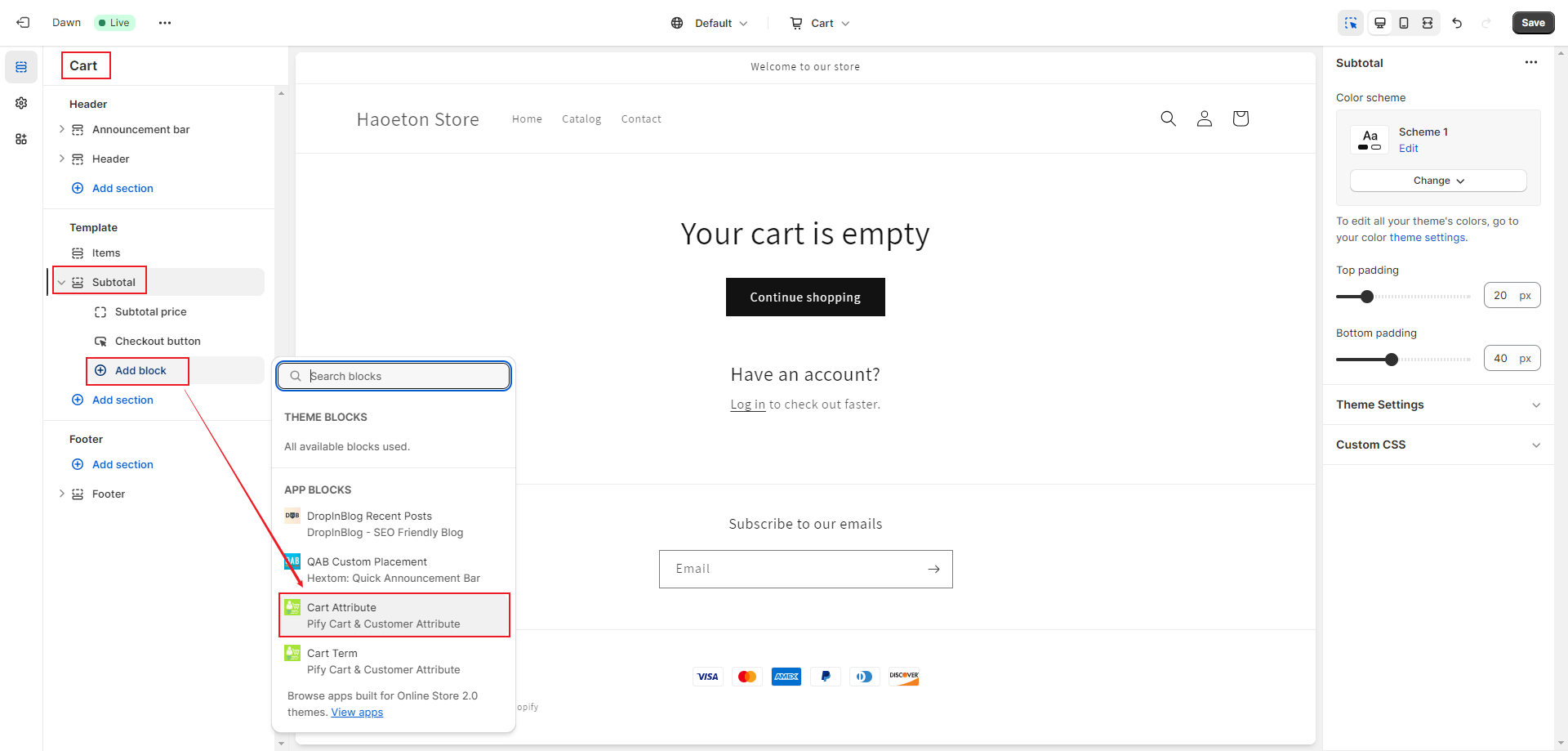
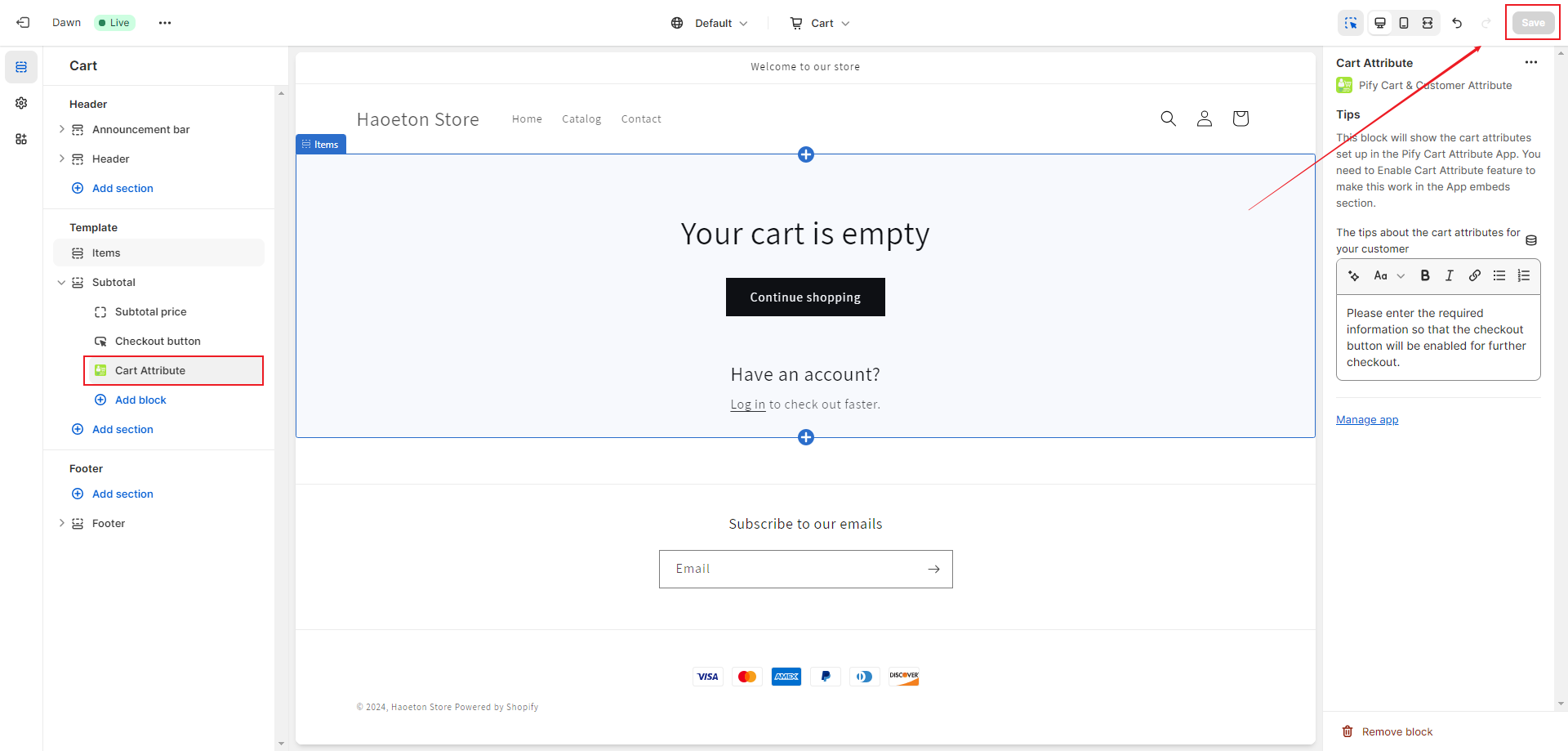
2. Switch to the Cart page, click on "Add block" under Subtotal, and add a Cart Attribute. Click "Save".
If any problem, feel free to contact us for support directly.