
How to get the form embed code?
After creating a form in Pify Form Builder, you need to follow the steps below to obtain the embed code for the form.
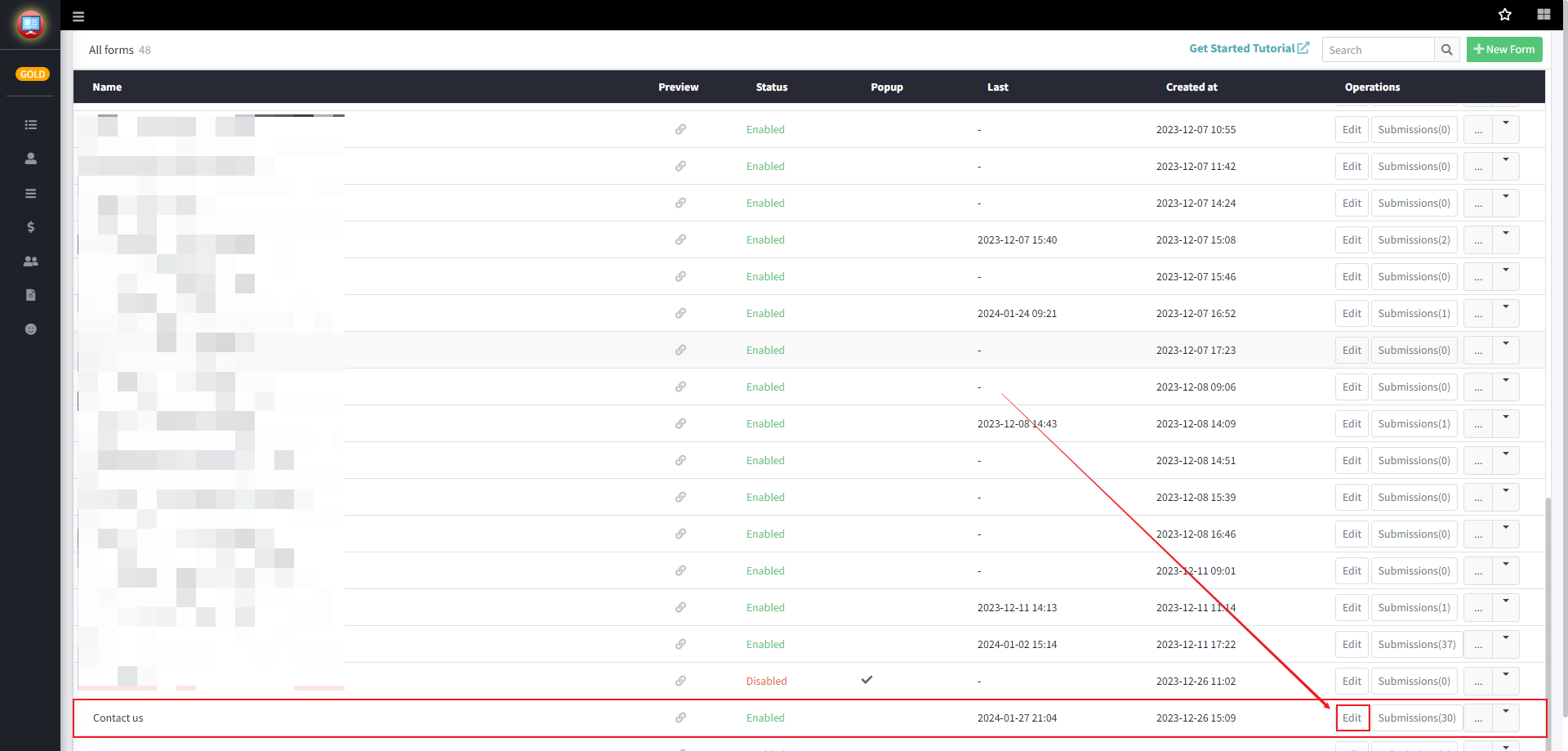
Step1: Go to Pify Form Builder and select the form you need to use in the Forms section, then click the edit button on the right side.
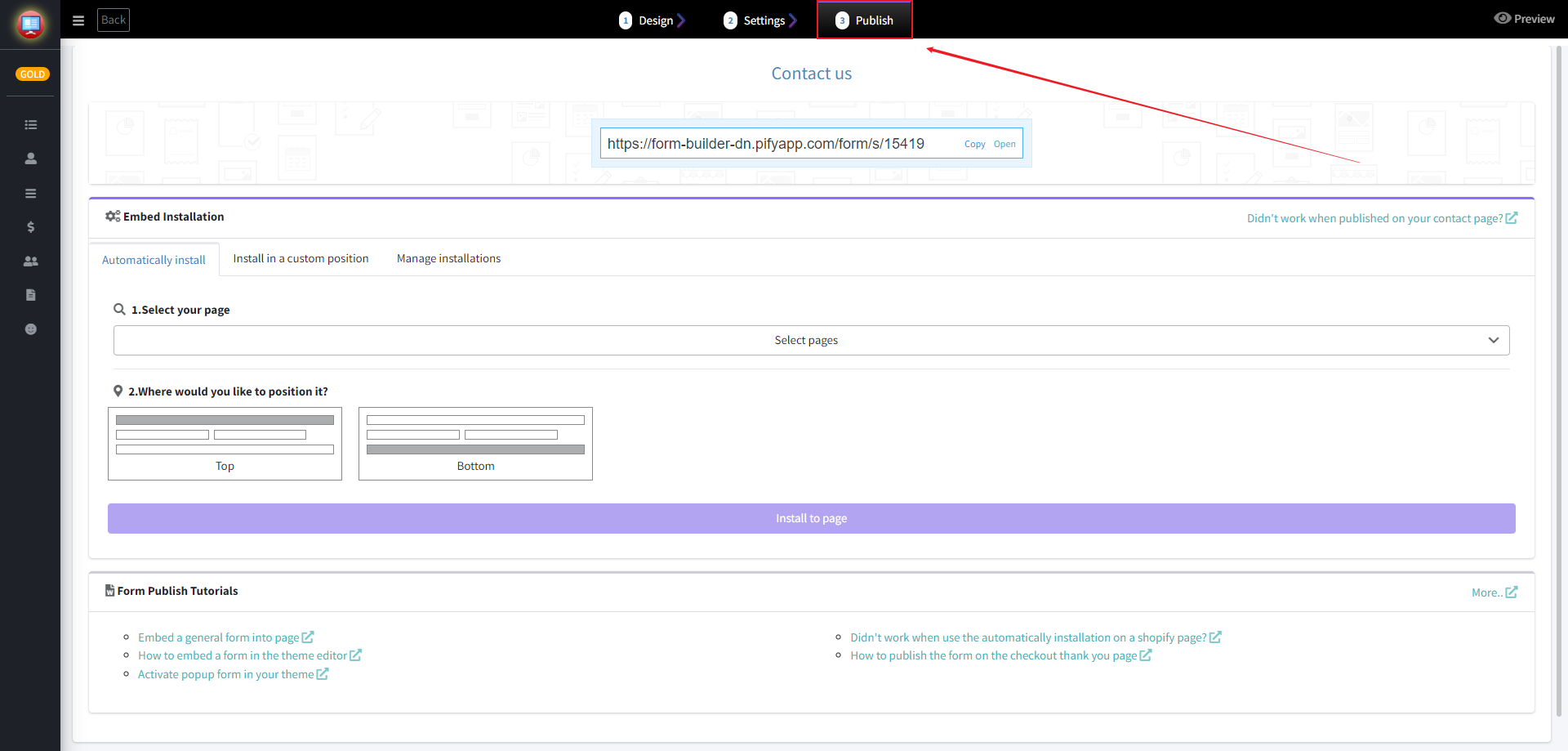
Step2: After entering the form editing page, click on "Publish".
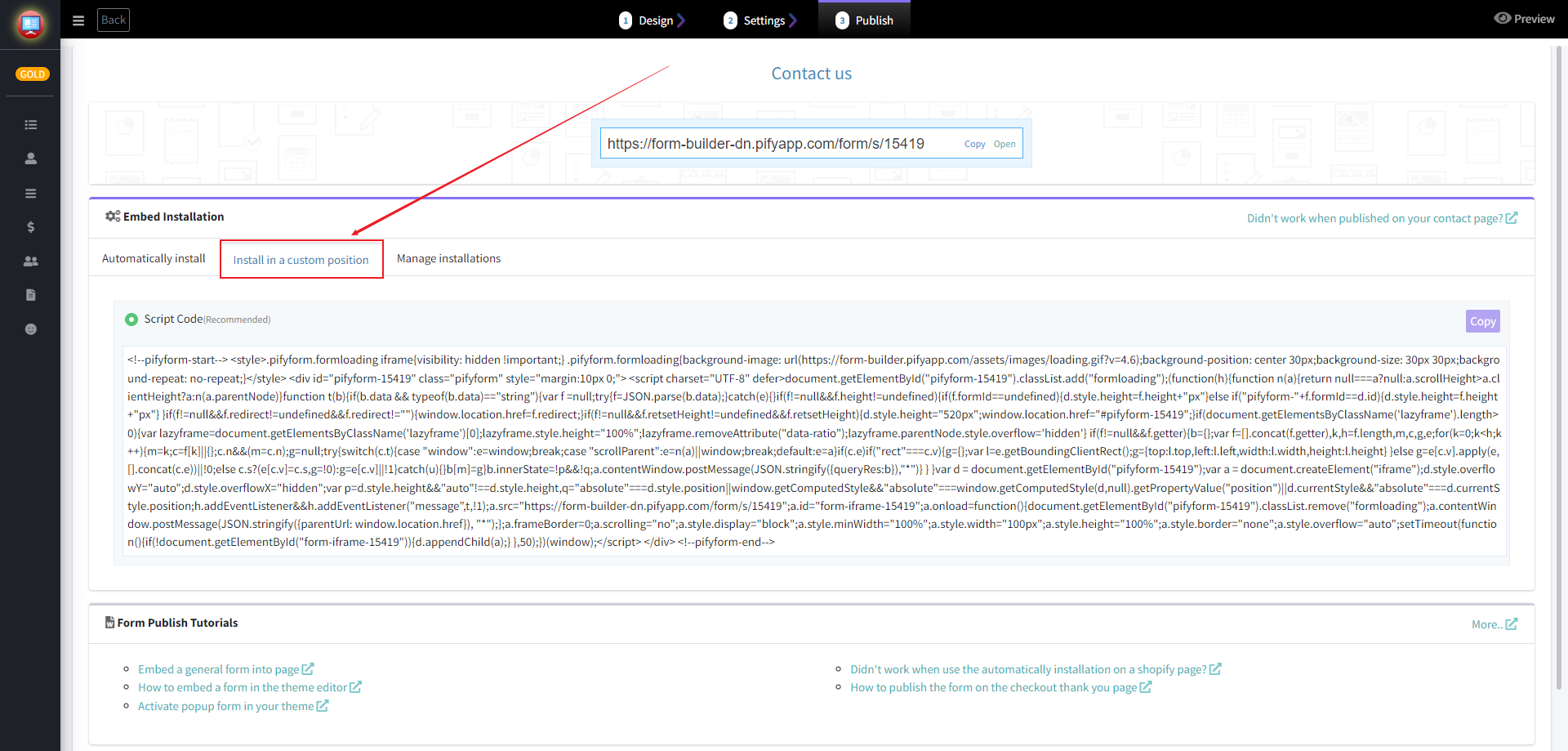
Step3: Select "Install in a custom position" under Embed Installation.
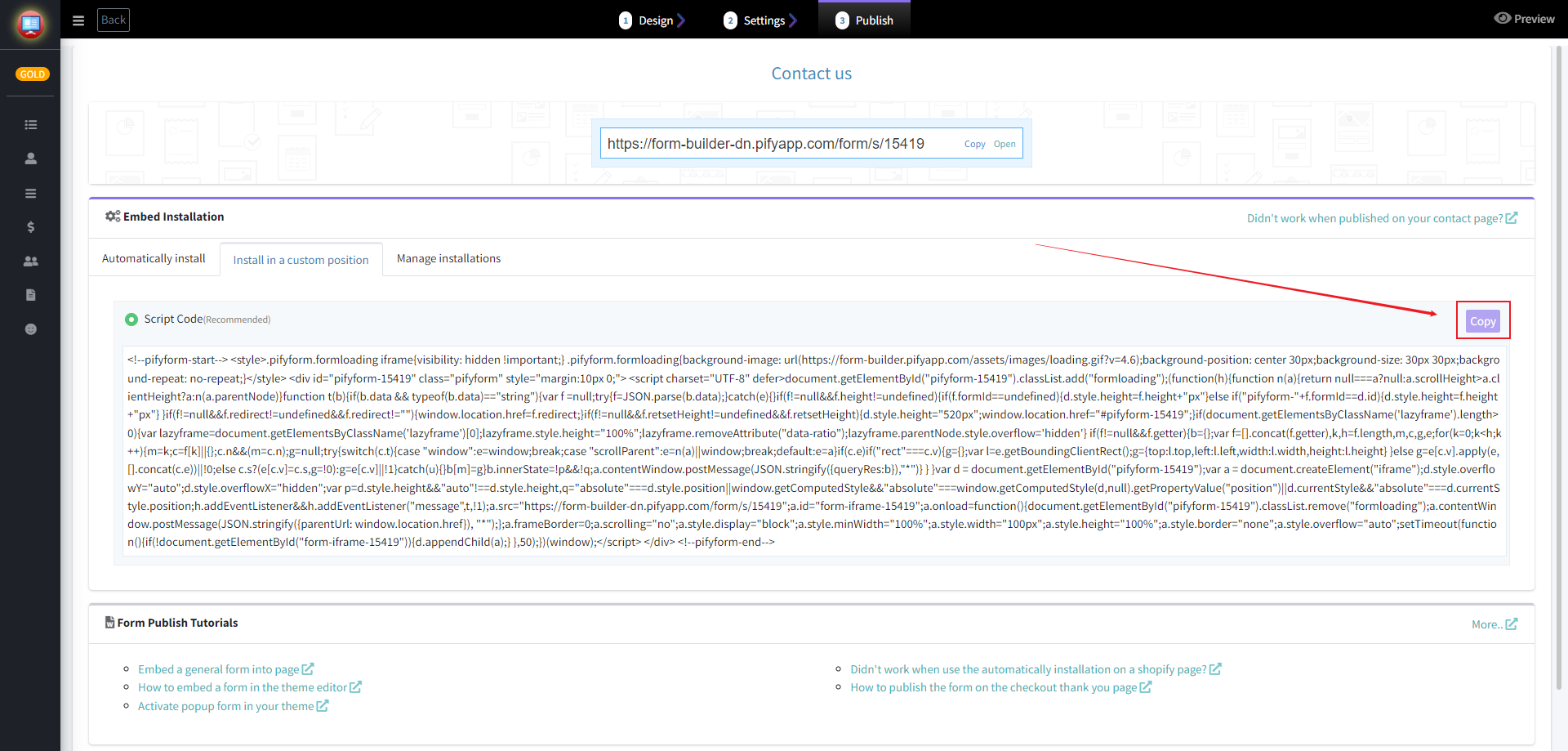
Step4: Click on "Copy" on the right side of Script Code to copy the embedded code for use.
If any problem, feel free to contact us for support directly.