
The registration page does not display the customer attributes you added.
If you have added customer attributes but they are not displaying on the registration page, you need to troubleshoot following steps:
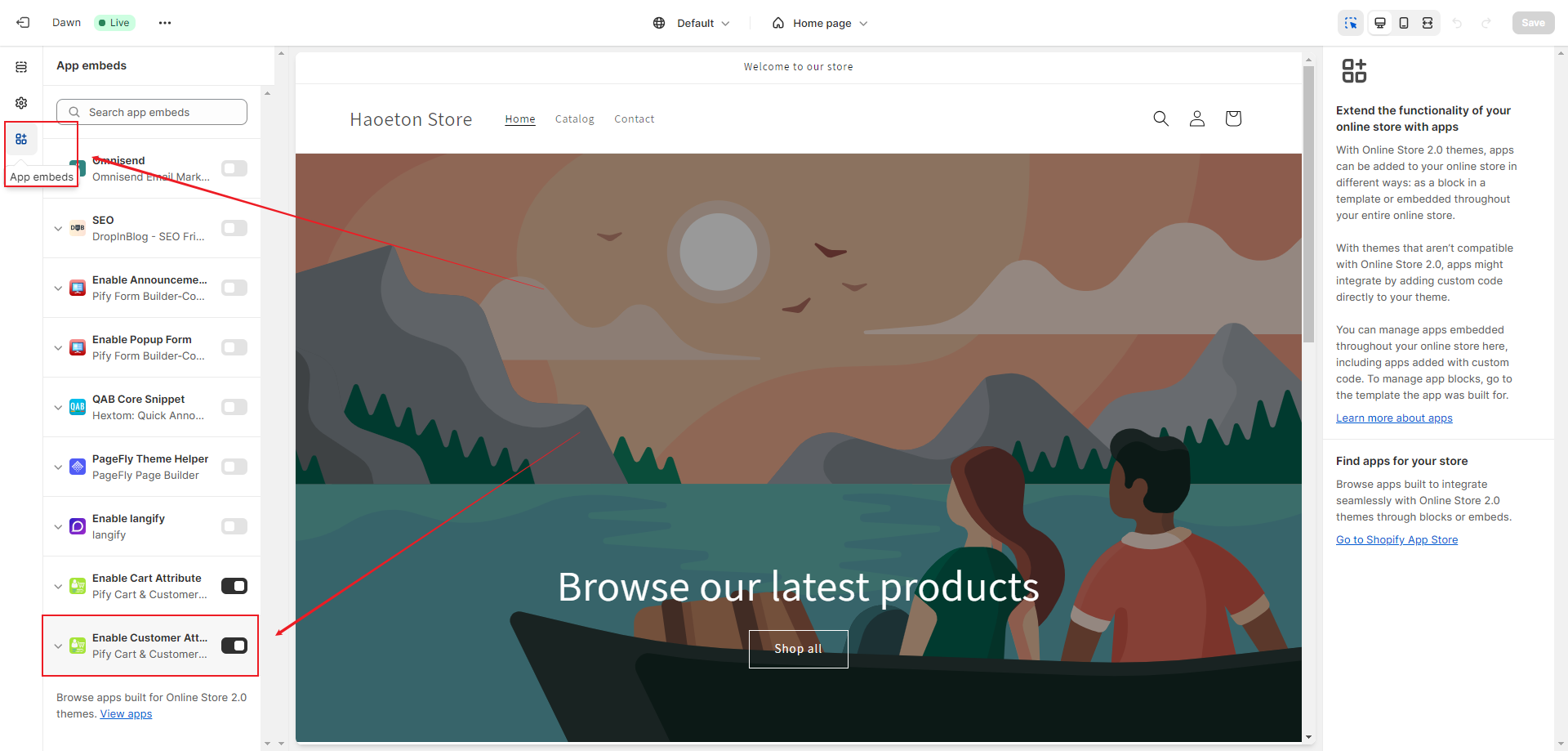
1. Enter your store's customization page, click on "App embeds", and enable "Enable Customer Attribute".
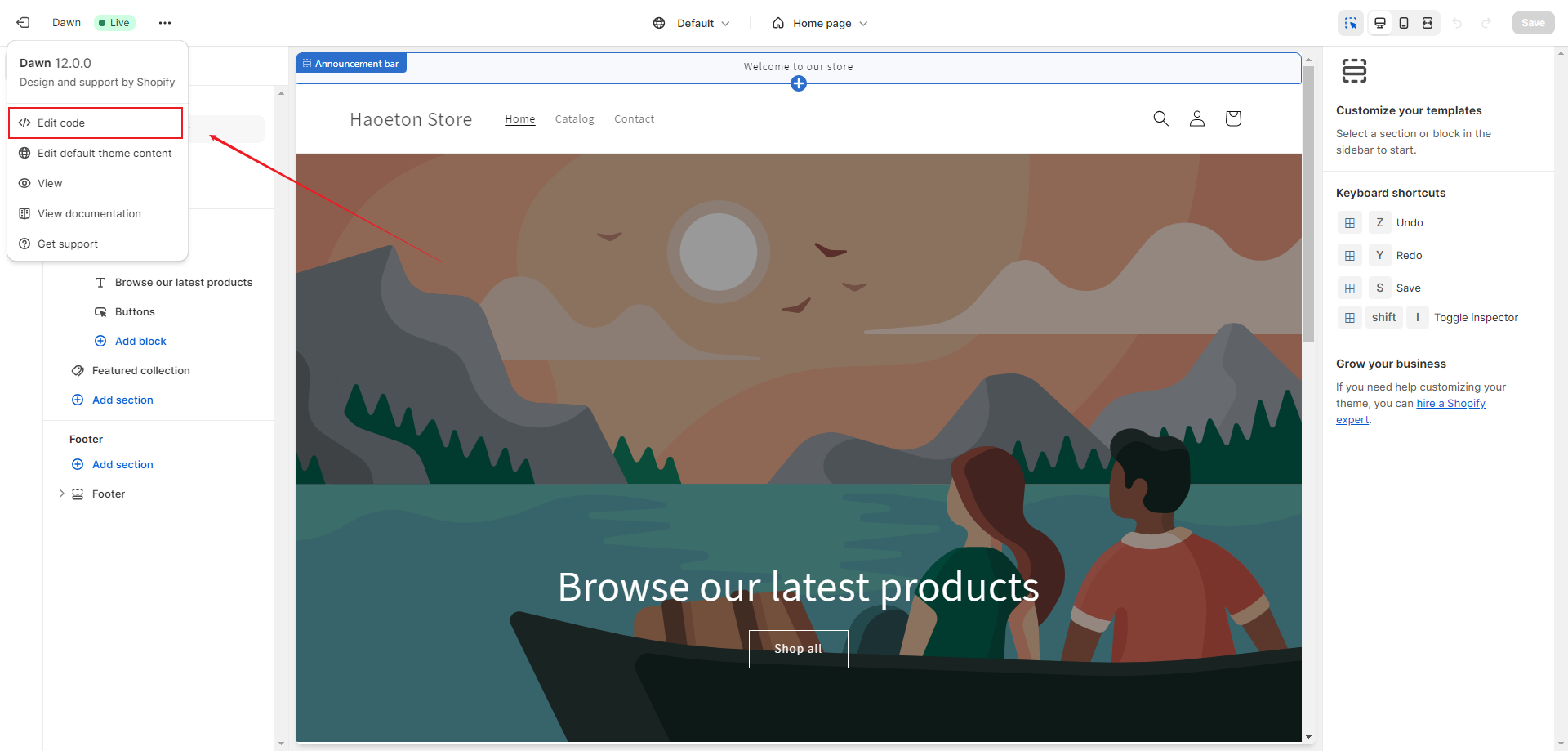
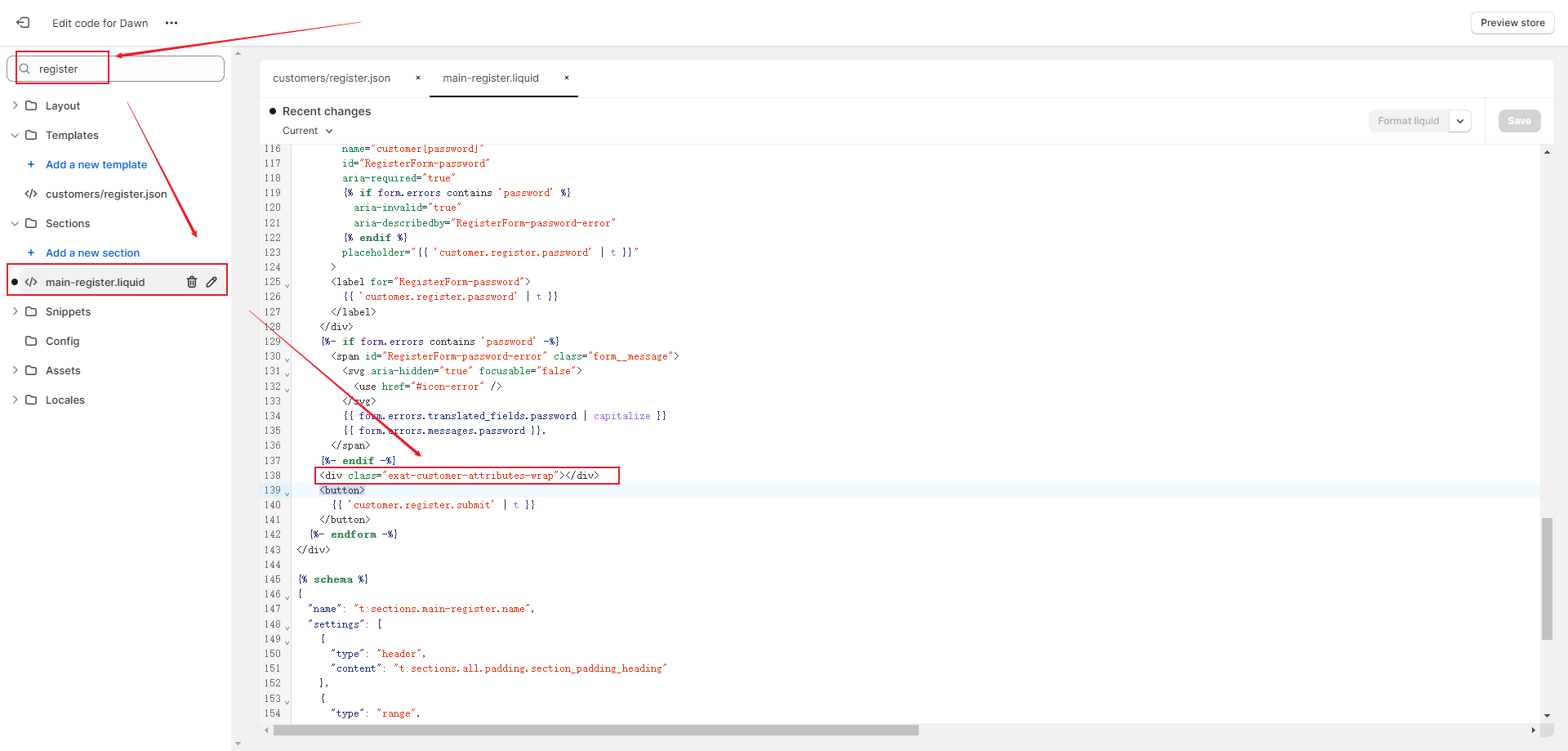
2. You need to access the editing code page of your store, then search for "register" and select "main-register.liquid". Add the following code before the "<button></button>" field. click on save.
<div class="exat-customer-attributes-wrap"></div>
If any problem, feel free to contact us for support directly.