
Add a Customer Attribute.
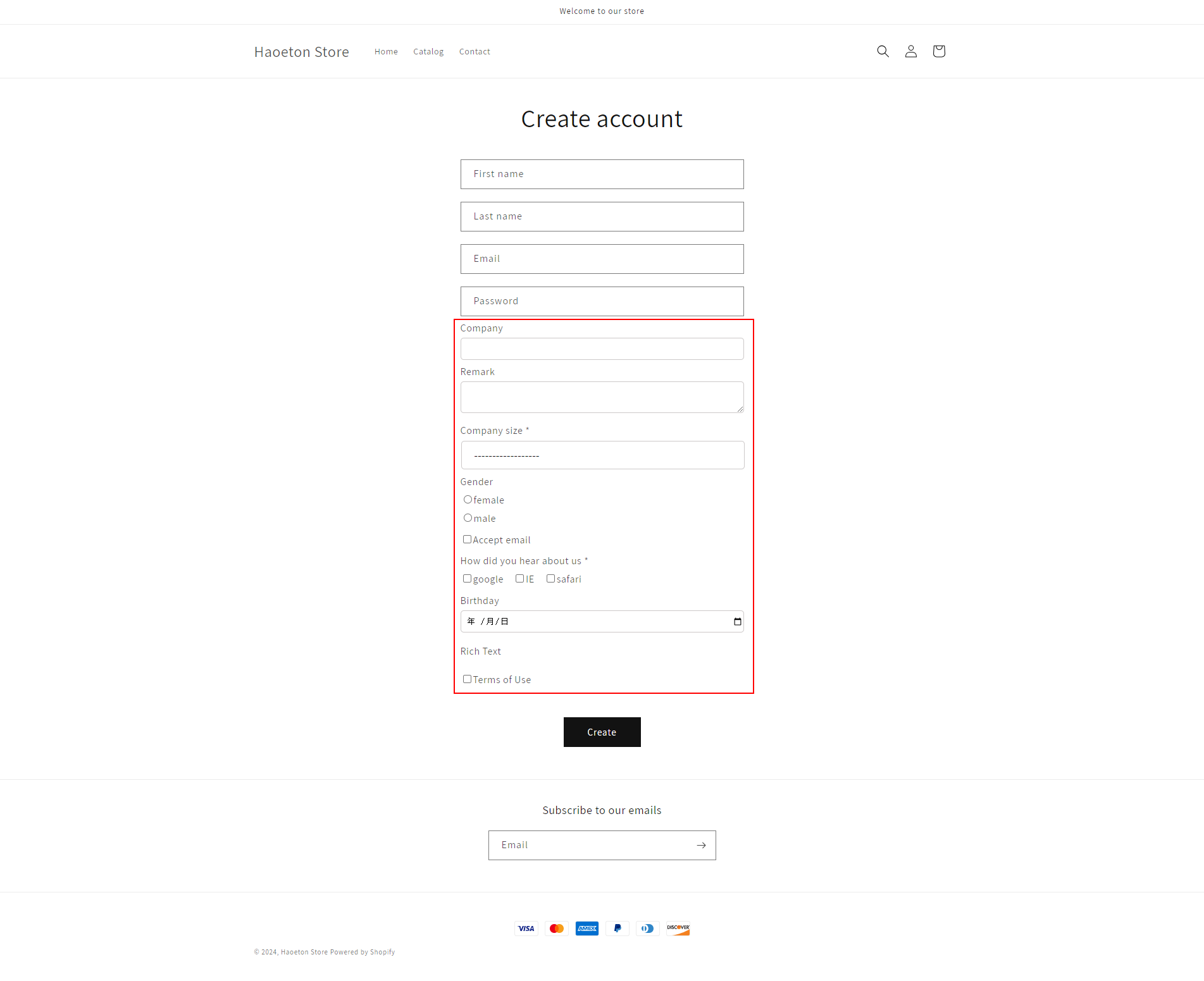
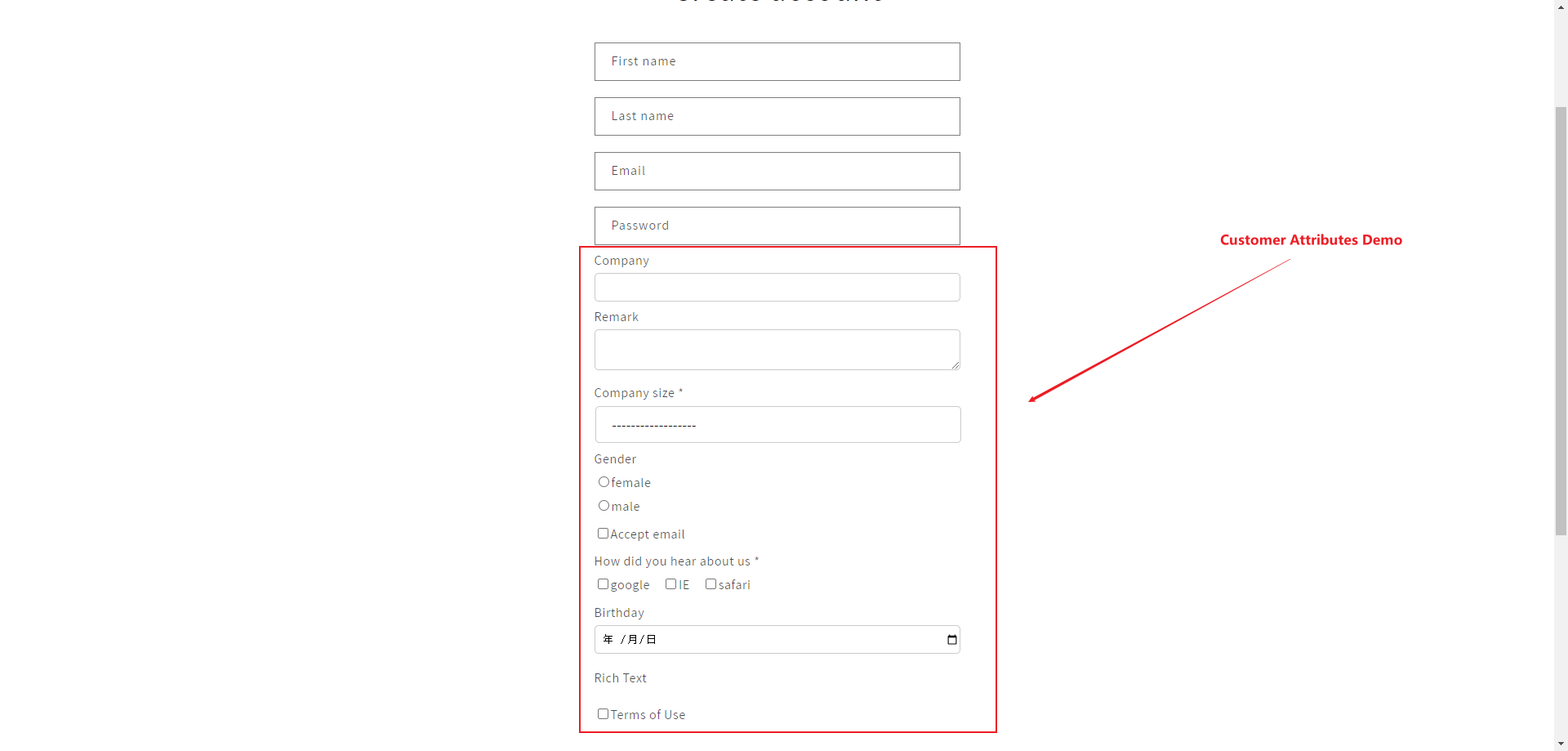
You can add a Customer Attribute to collect more user information that you need. After you add a Customer Attribute, your store's registration page will appear as follows:
Please follow the steps below to add attributes:
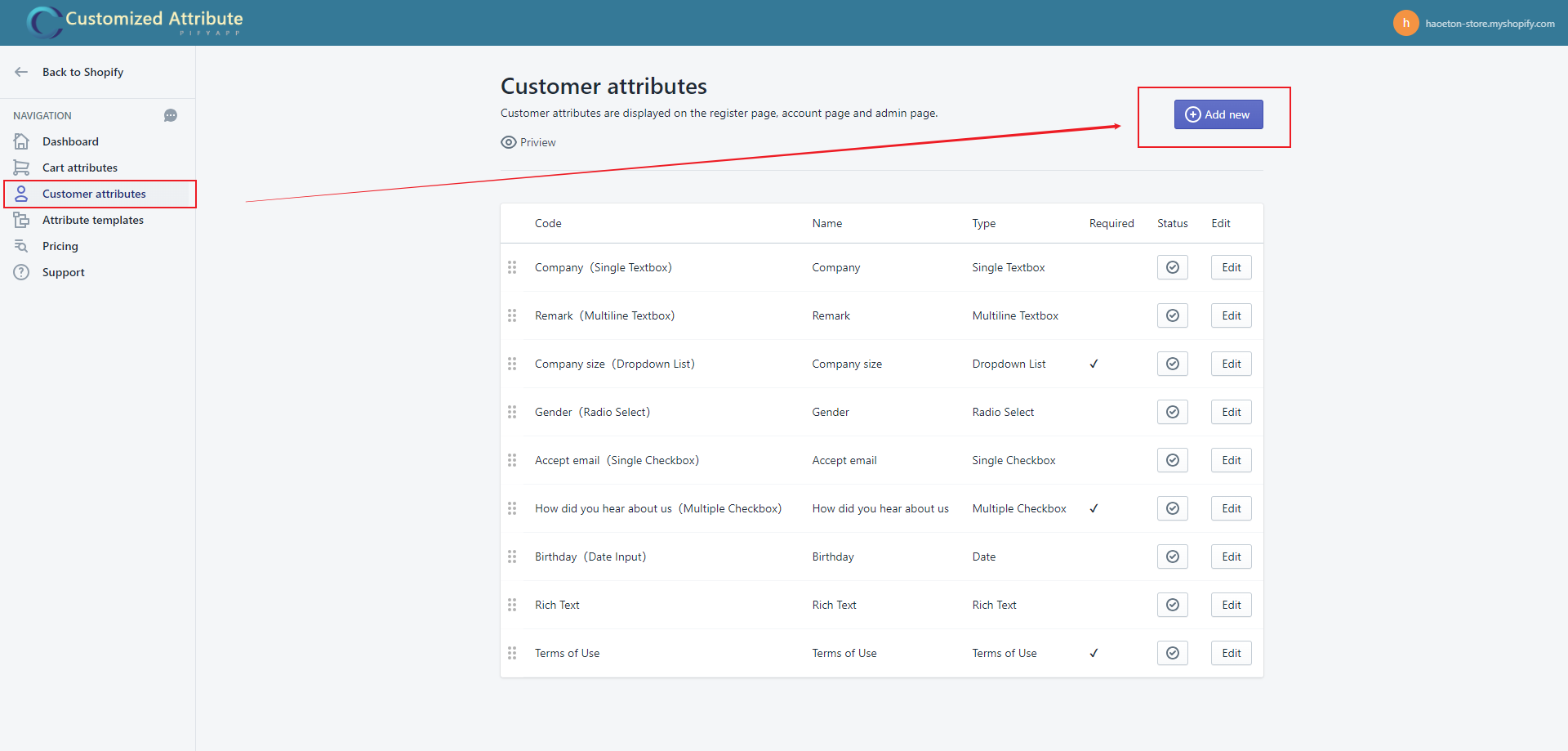
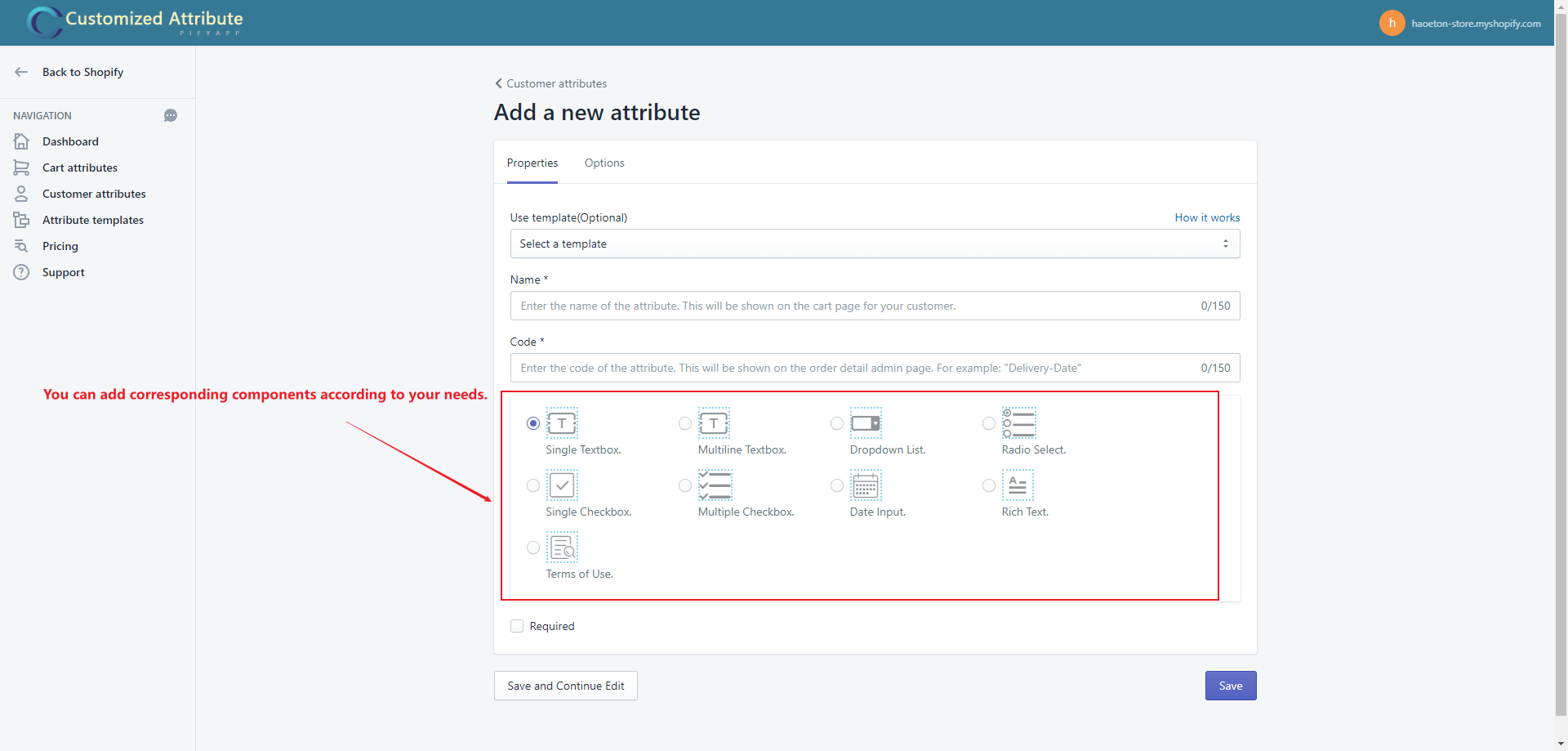
1. Add a cart attribute on app.
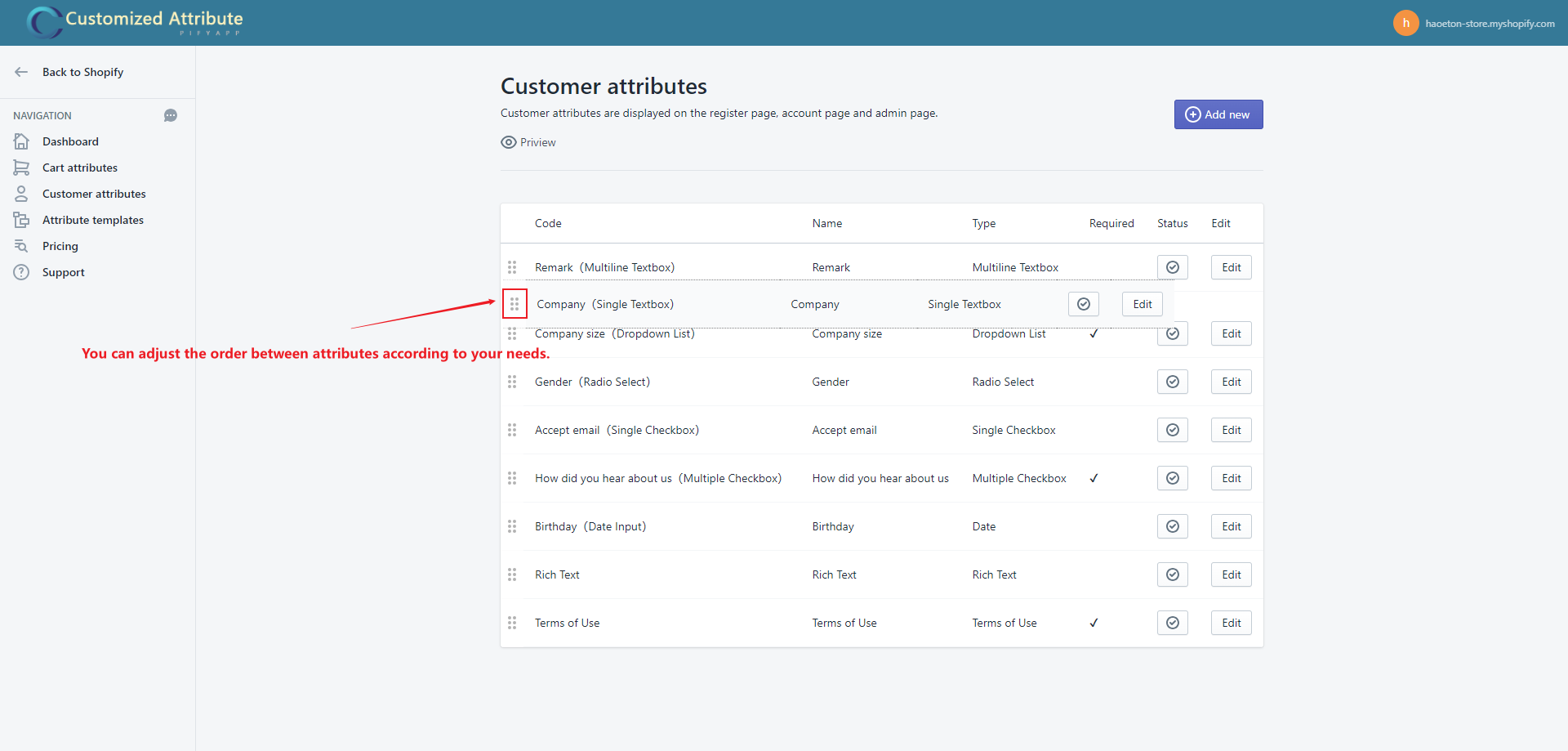
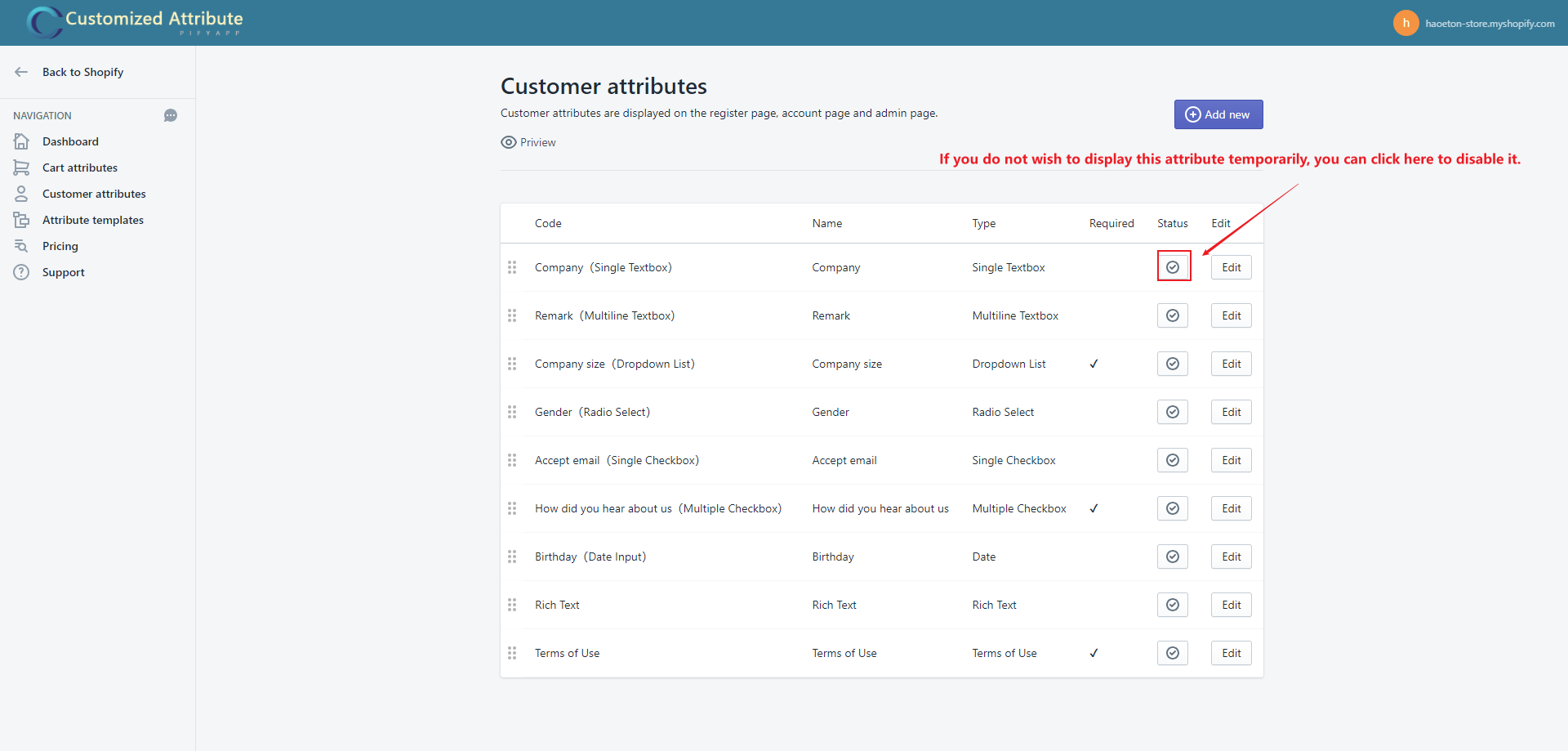
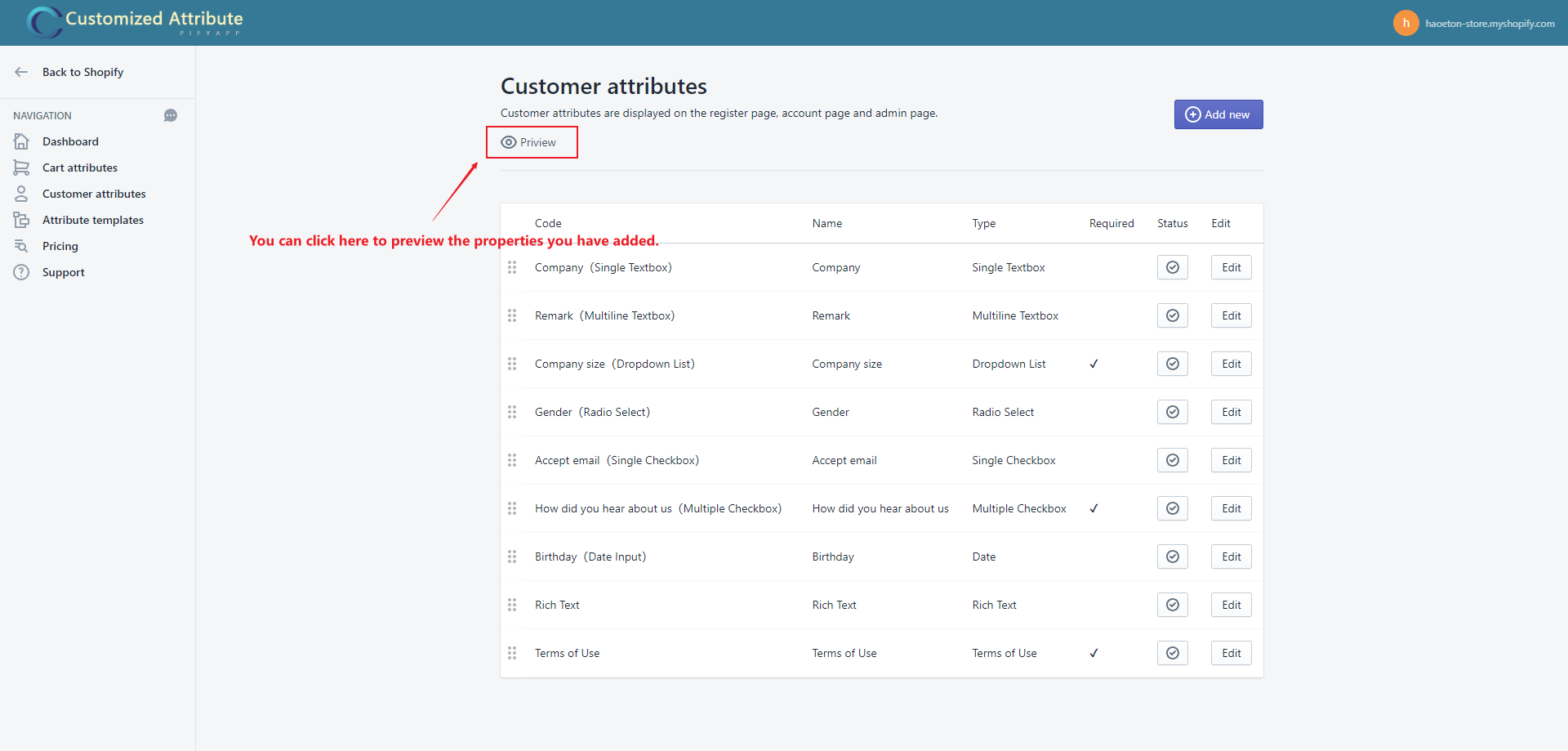
2. Customer attributes list you added, it is a droppable sortedlist.
3. Customer attributes show on customer register page.
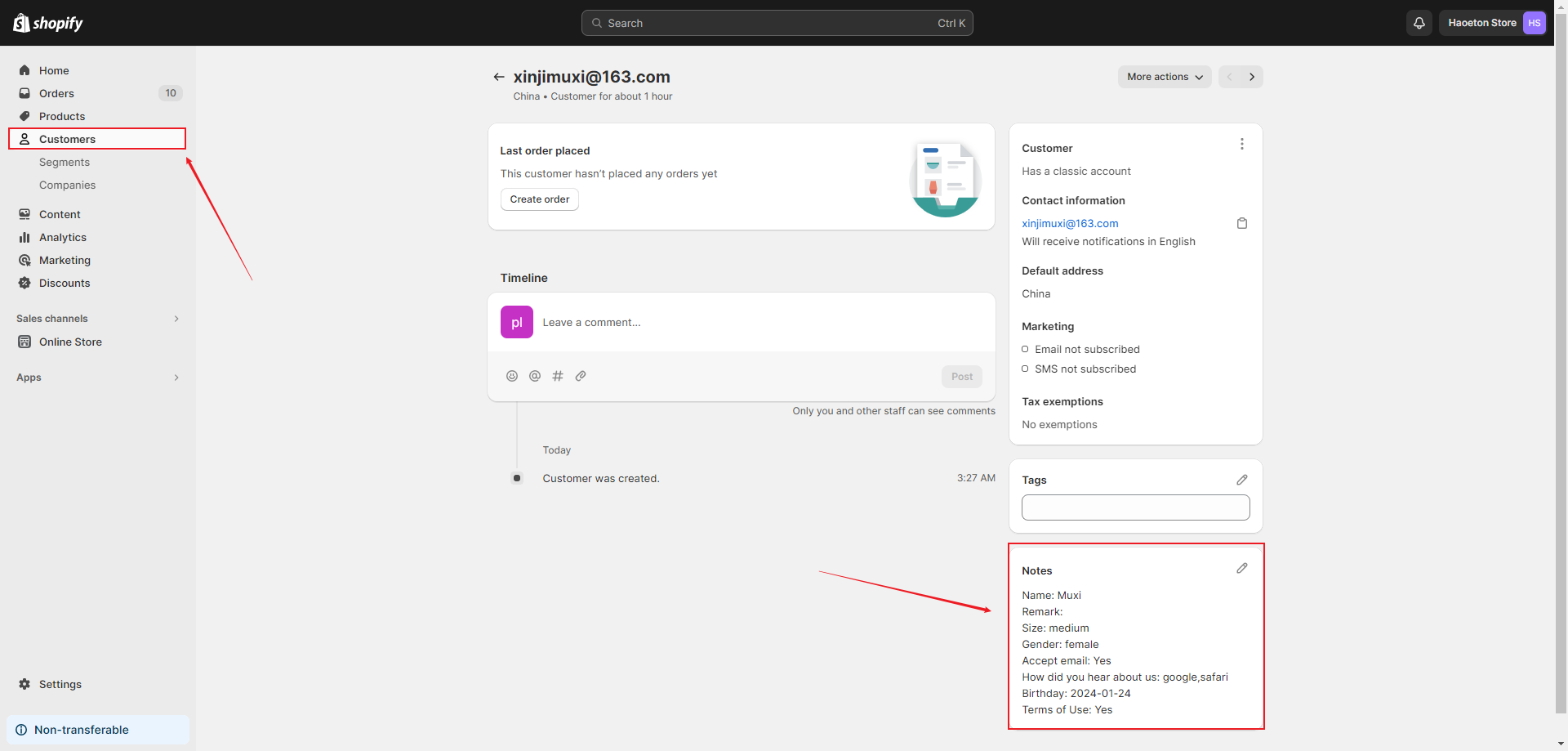
4. Customer attributes show on customer admin page.
If any problem, feel free to contact us for support directly.